Tip of the Week: Add Calculated Payment Due Date to an Invoice


Payment term clarity is essential to help firms reduce the likelihood of experiencing unpaid invoices and billing disputes. Ensuring your invoices clearly define the Payment due date is one of the most important steps you can take to improve client billing and get paid faster. With firm-wide Payment clarities in place, there is no more guessing or difficulties to figure out for confused Clients. TimeSolv’s just rolled out an update that allows users to add the calculated Payment due date to an Invoice. This week’s Tip of the Week looks at how to get the calculated Payment due date to appear on an invoice.
So let’s say you have varying Payment Terms (net 30, net 45, net 10, etc), and you want TimeSolv to calculate the Payment due date and display that date on the Invoice so that your client does not have to manually calculate themselves. Based on the Payment Terms and Grace Period, TimeSolv calculates the due date and this is made visible on the Main Page section of an Invoice.
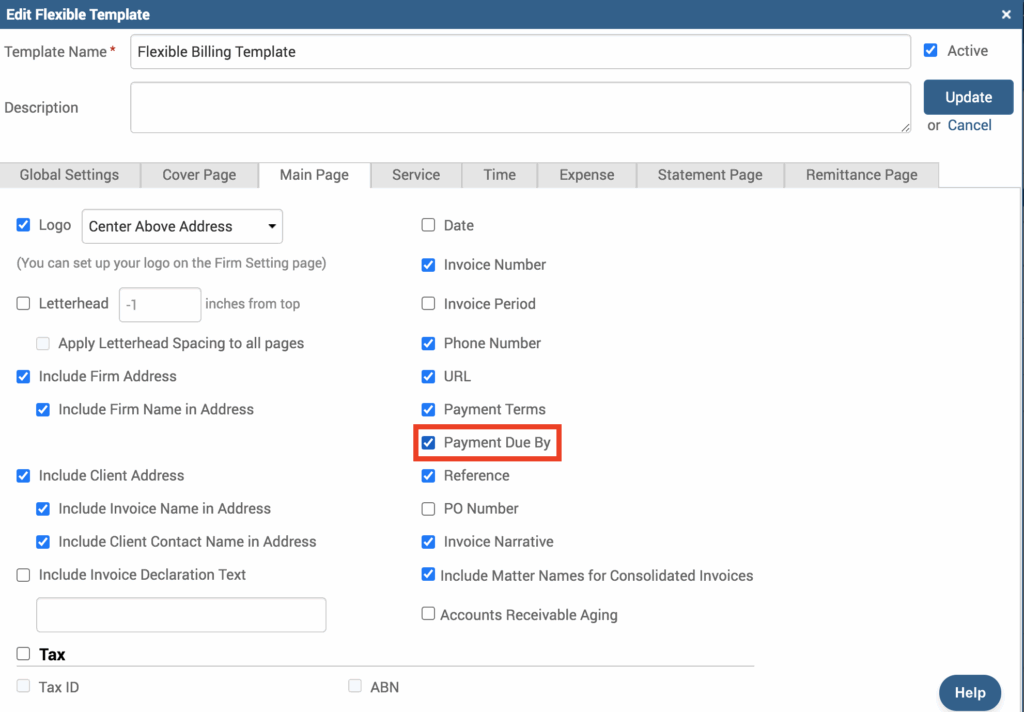
You’ll first have to enable this new feature to be displayed on the Invoice by editing the Flexible Billing Template. Click under Invoice>Settings>Flexible Templates. Click to edit the template you’ll be using for Payment due date calculation. Under the ‘Main Page‘ tab, there’s a ‘Payment Due By‘ checkbox you’ll want to enable.
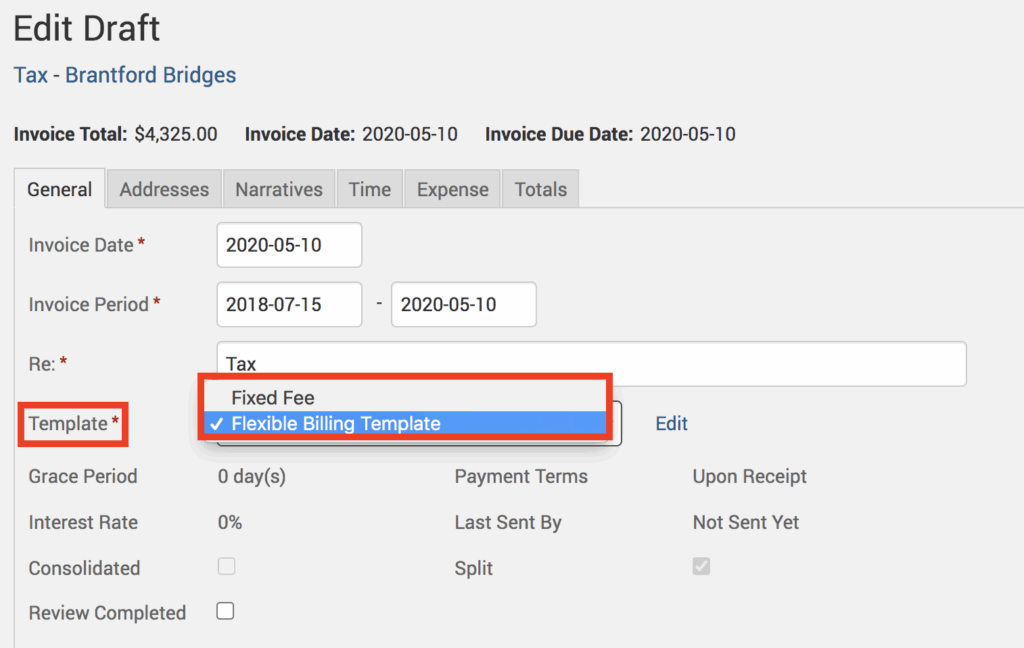
After you’ve enabled this, you’ll need to make sure you’re applying this Template to the Invoice. To check, click on Invoices>Drafts. Click on the dollar amount against the invoice to edit, and make sure the correct template is applied. You can even click on the ‘edit’ link to open and edit the selected template.
The Payment due date should now appear on the Main Page of the Invoice along with the Payment Term text. The format of the Date is inherited from the Firm Settings under Account>Settings>General>Date Format field.
The law firm’s legal billing process is key to efficient invoicing and quicker Client payments. If your firm isn’t seeing the return you need, it’s time to improve your billing method. TimeSolv legal billing system is a powerful tool for improving your invoicing process. With a variety of features, TimeSolv can help your firm get paid faster.
If you’d like to contact TimeSolv support for help, please call 1.800.715.1284 or Contact support!
wherever you do.
TimeSolv in action.





