Tip of the Week: Adding contacts to your matter

A common question we receive at TimeSolv is about adding contacts to your matters. Our Tip of the Week focuses on how to associate already existing contacts to a new matter or client.
When you first create a new client in TimeSolv, that’s most likely when you created a new contact to be associated with that client. However, when you subsequently create your first matter or any additional matters for that client, the contact associated at the client level does not automatically become the contact at the matter level. There are many circumstances where you may be representing a large firm and working many matters spread across departments that include different contacts for each matter, even if the client is the same.
But what if it’s more straightforward and the client contact should also be the matter contact? If the contact you want associated with a new or existing matter already exists within TimeSolv, there’s an easy way to associate that contact with the matter.
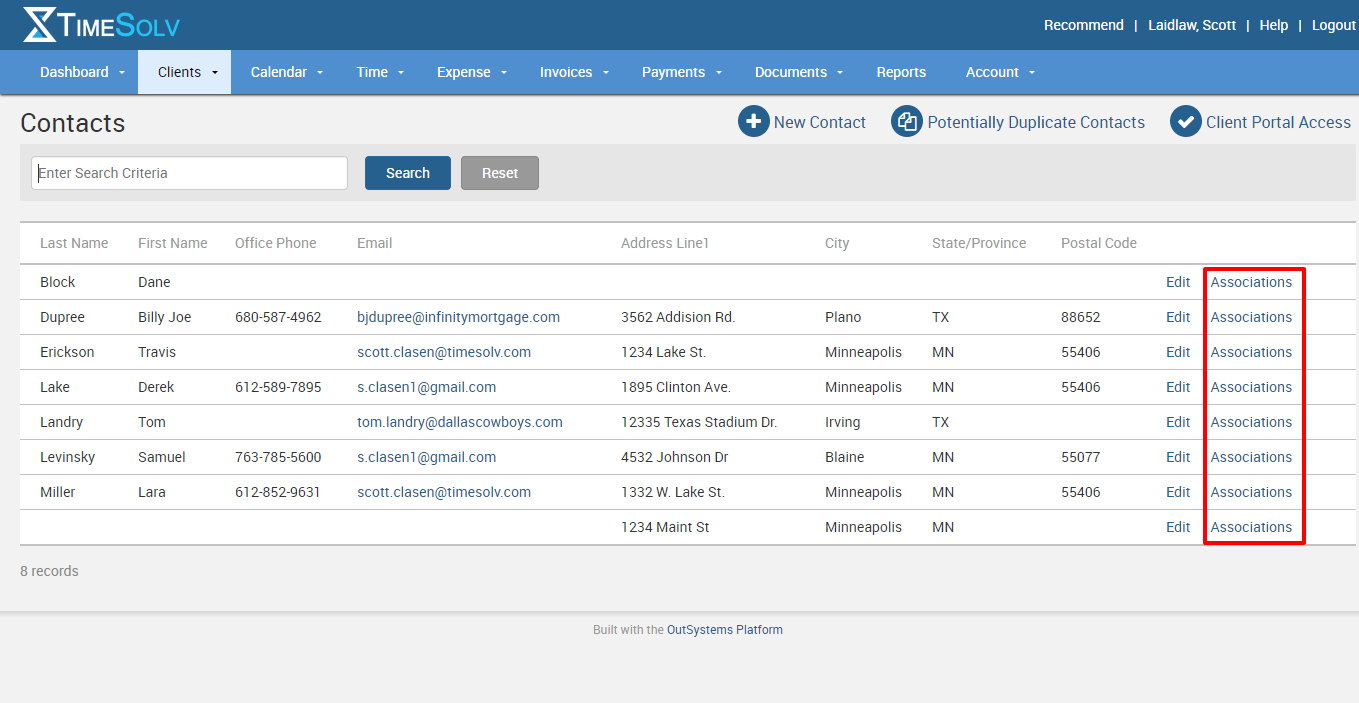
You first want to navigate to Client -> Contacts. Then search or scroll for the contact you want to associate to a matter. Once you’ve found your person, click on the Associations link on the far right.
From there, you’ll see a list of all your clients and all your matters. To quickly find the matter in question, simply type the matter name or client name and hit the search button. Once you’ve found the matter, then click on the box to the left of the client name and be sure to choose the Type of contact. You’ll want to choose Main if this is the contact name you want to appear on your invoices.
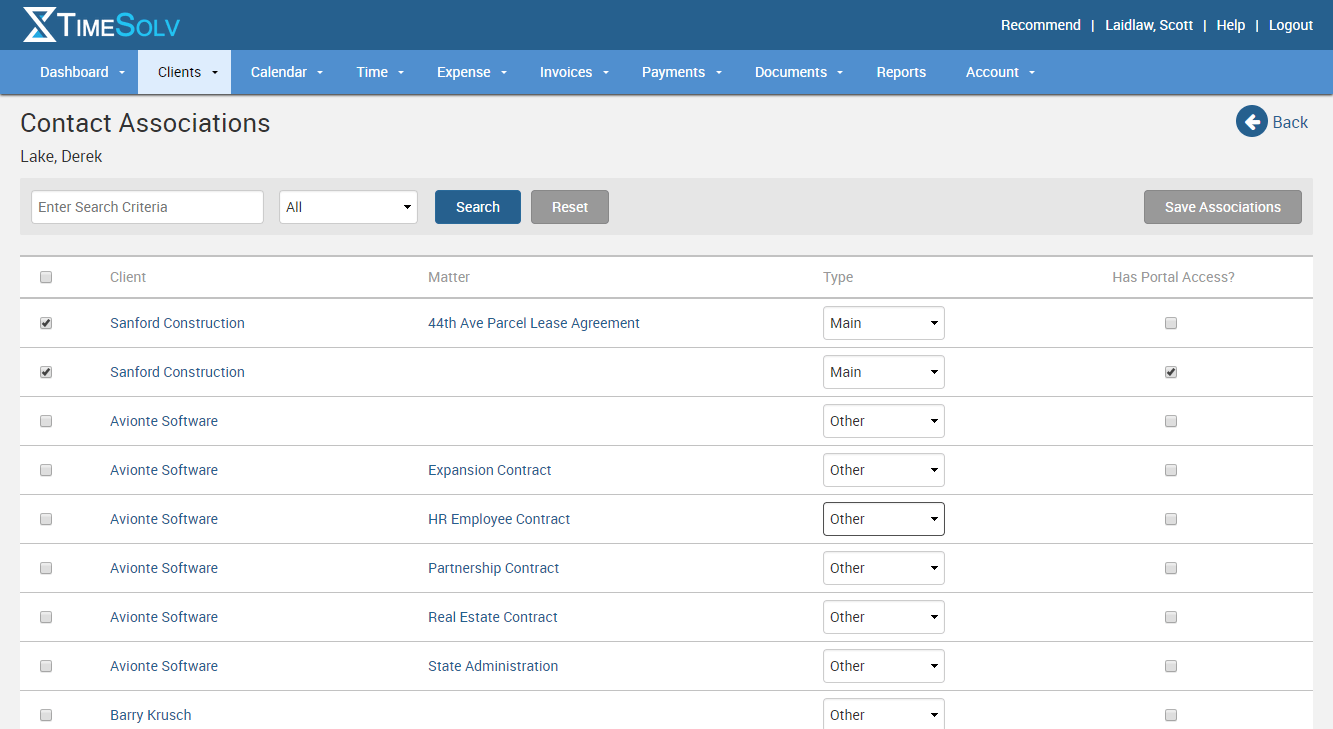
You’ll also see you can grant Client Portal access if you’re using that to communicate information to your clients and have them pay their bills online.
Make sure you save your associations and you’re all done!
If you’d like more help with managing your contacts in TimeSolv, call us at 1.800.715.1284, email us at support@timesolv.com or Contact support.
Don’t forget to register for our Wednesday Webinars where we review all the Tip of the Week posts from the past month. Our next Wednesday Webinar will be August 2 at 1 p.m. EDT/10 a.m. PDT.

wherever you do.
TimeSolv in action.





