Tip of the Week: Commissions Structure and Revenue & Commissions Report


TimeSolv has three different levels for calculating commissions. These three levels are the working attorney, responsible attorney, the originating attorney. It’s important our users understand where and when to enter the different commission amounts according to the firm’s commission structure needs. This week’s Tip of the Week takes a look at setting up commissions structure as well as running a Revenue & Commissions report.
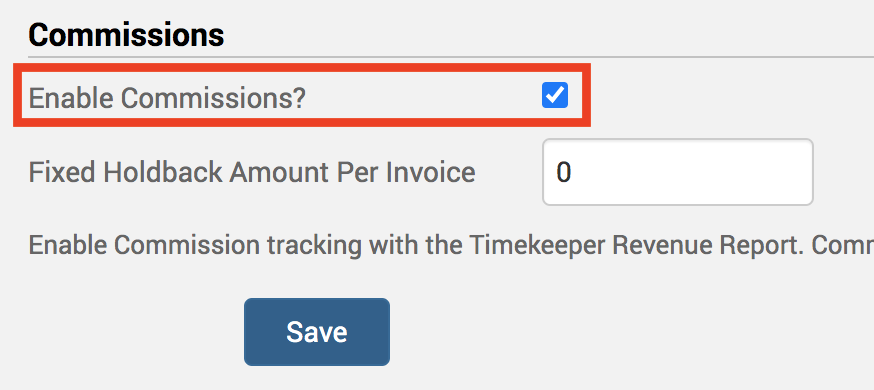
First off, make sure you have commissions enabled. This is done under Account>Settings>General. Click on the ‘Enable Commissions?‘ checkbox at the bottom of the screen.
Working Attorney Commissions
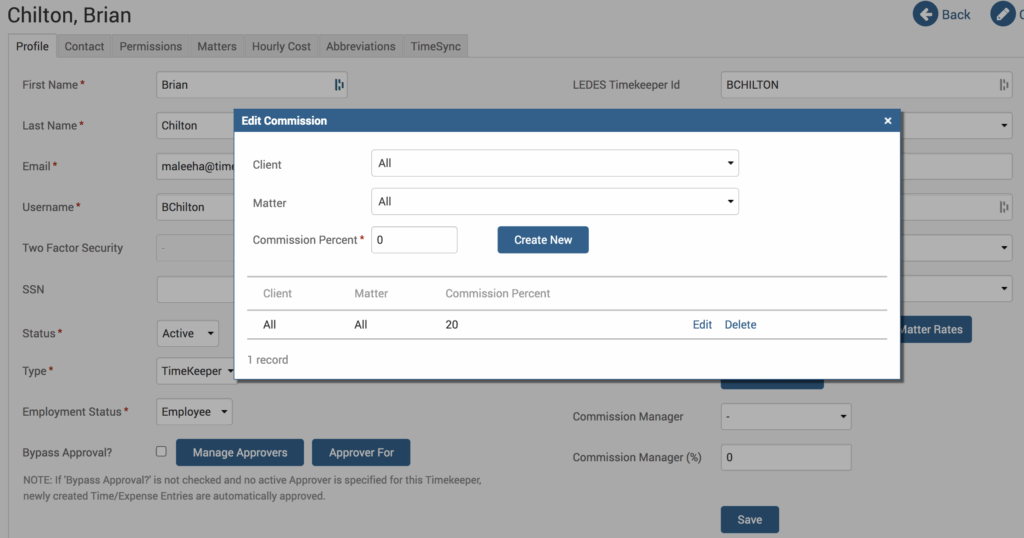
Next up, to set up commissions for an individual user, head under Account>Timekeepers and click on the Timekeeper name. Under the Profile tab, there is an ‘Edit Commission‘ button. You can create a universal commission by selecting ‘All’ Clients and ‘All’ Matters so that any Time entered by this user will earn an X amount of commission. Alternatively, you can make it as specific as you need and select specific Clients and Matters.
Responsible Attorney Commissions
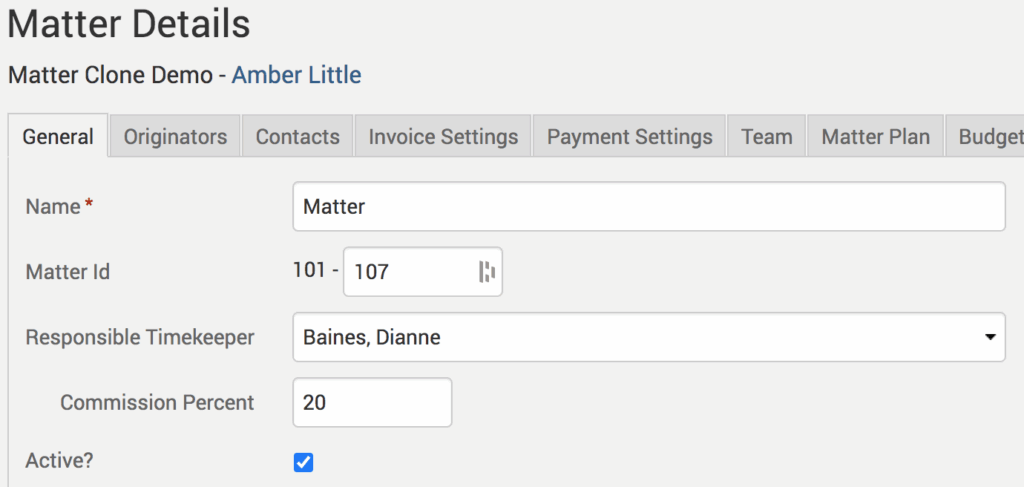
These are set up under the Matter level. Click on Clients>Clients & Matters>[Matter]>General tab. There is a ‘Responsible Timekeeper’ field. Let’s say you enter 15% for the Responsible Timekeeper; they will receive 15% of all the receivables on this Matter regardless of who entered Time for it. Note that the Working Attorney Commission will pick up the difference. So if the Responsible Timekeeper is also set up under Working Attorney Commissions, they will get both commission percentages against this Matter.
Originating Attorney Commissions
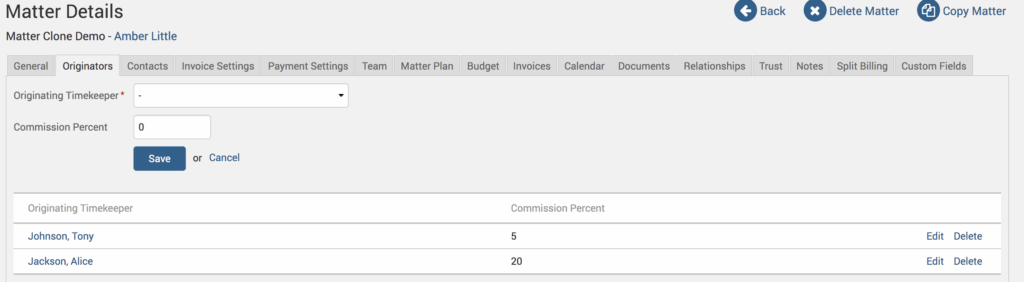
If you need to add additional users for commissions against all Time entered against a Matter, you can go ahead and click on the Originators tab to add additional users to the commission structure. Here you can add as many Originating Timekeepers as needed.
Revenue & Commissions Report
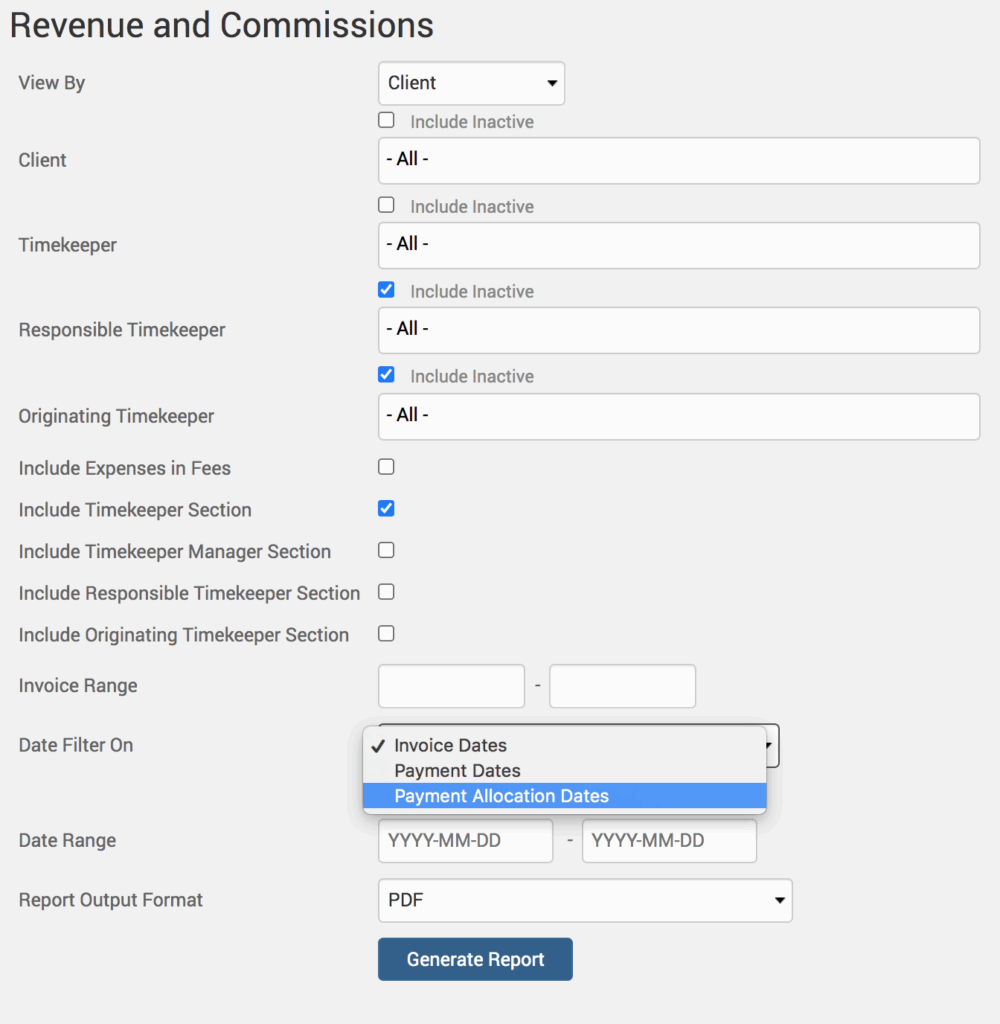
Head under Reports>Performance>Revenue and Commissions. We offer full flexibility on our Revenue & Commissions report. you can run it for the Client or Matter, and even choose which specific user(s) to run it for, if not all. We recommend you run the report by ‘Payment Allocation Dates’ as the date filter, as this will be the most relevant selection for viewing commissions. We also recommend running it in PDF format.
If you’d like to contact TimeSolv support for help, please call 1.800.715.1284 or Contact support!
wherever you do.
TimeSolv in action.





