Tip of the Week: Contact Types


As an attorney, you need to keep track of all the various types of contacts attributed to a single Matter and/or Client. It is important you keep these contacts organized in an intelligent manner so you can efficiently make use of each contact when needed. We can help you keep everything in order for you with our hierarchical contact management solution.
In TimeSolv, users can create contacts both under the Matter level or the Client level. We generally recommend users save contact information at the Client level, to help save time in having to create contacts under each individual Matter (if they are the same!). Also, if you continue to use the same contact information under different Matters belonging to the same Client, you will create a series of contact duplicates.
To add contacts at the Client level, click on Clients>Clients & Matters>[client name]>Contacts>New Contact.
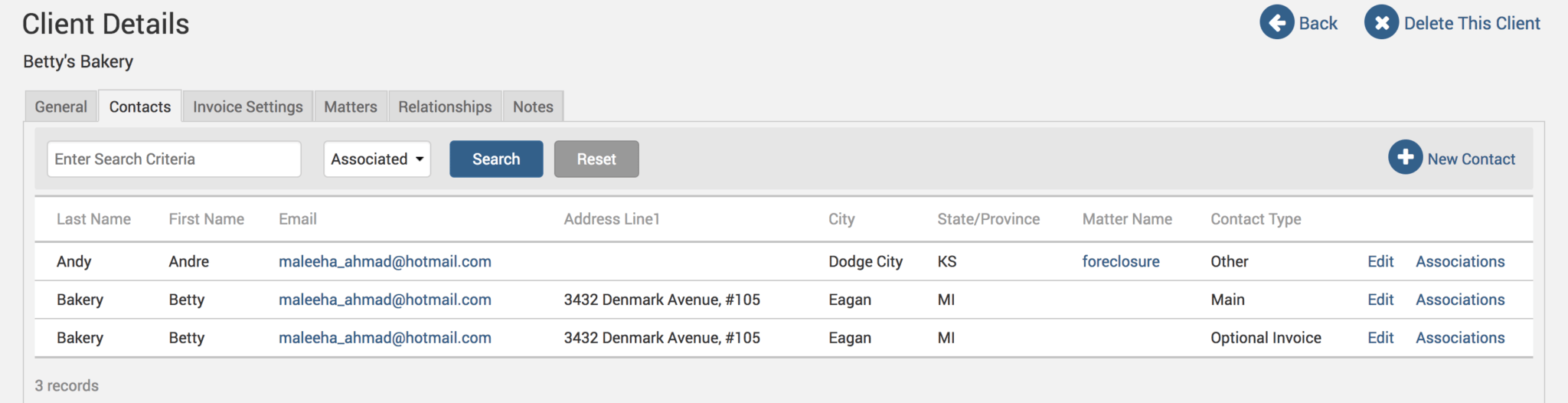
When saving a new contact, whether it is under the Client name or the Matter name, you will get four options regarding the type of contact being created.
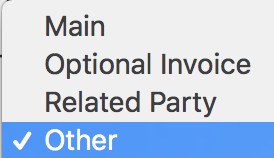
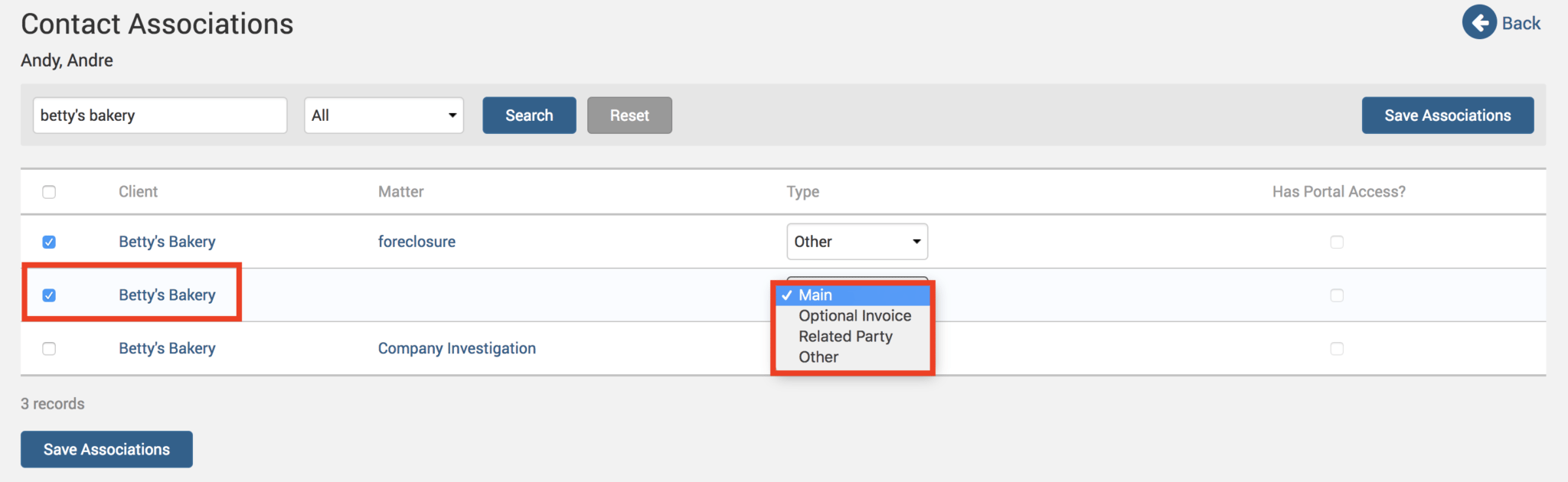
If you have saved a contact as type ‘Main’, this contact will be the one used in invoices, unless you also have an ‘Optional Invoice’ contact, which will always supersede a ‘Main’ contact. A ‘Main’ contact would be, for example, the president of a company. An ‘Optional Invoice’ contact would be, for example, the accounting department of that company where the president wants the invoices to be sent to. Any contacts listed under ‘Related Party’ or ‘Other’ are for informational purposes only, and cannot appear on invoices.
So, to summarize, this is the priority order in which the invoice will fetch contact information:
- Matter contact > Type ‘Optional Invoice’.
- Matter contact > Type ‘Main’.
- Client contact > Type ‘Optional Invoice’.
- Client contact > Type ‘Main’.
If contact details are missing at any of the above levels, the system will continue to go down the list in that order to fetch the contact details for the invoice being generated.
Contacts for Statements
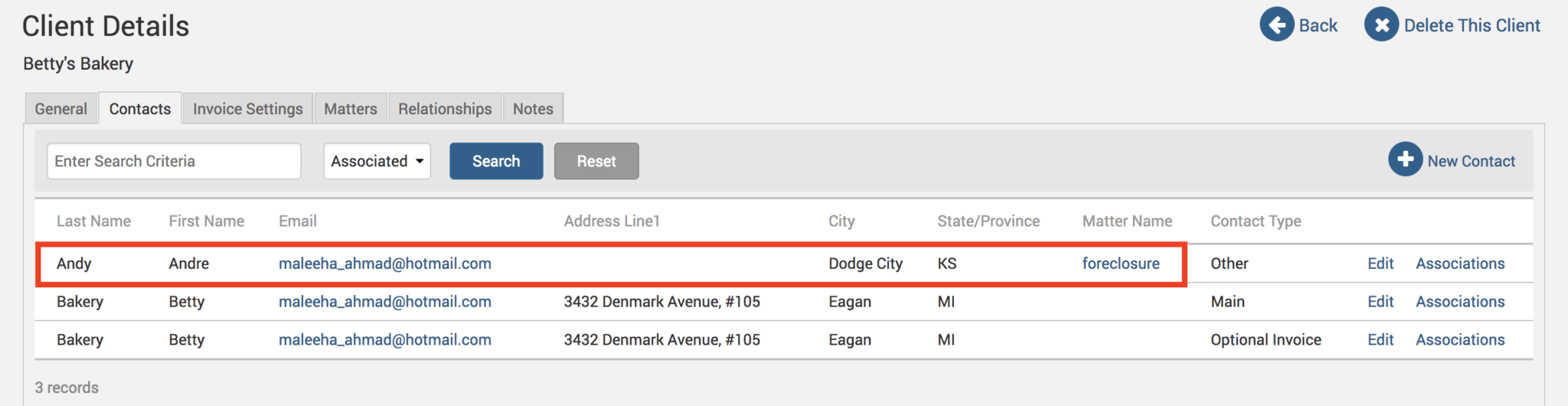
Now, when it comes to Statements, things are different. TimeSolv will only pull contact details saved under the Client level; any contact information listed under the Matter level will not be acknowledged when creating Statements. If you’ve saved all the contact details under individual Matters and need a quick fix to get the contact details up on Statements, simply click on Clients>Clients & Matters>[client name]>Contacts. Any contact that shows the Matter name under the ‘Matter Name’ column means that the contact details are saved at the Matter level (and therefore will not appear on a Statement):
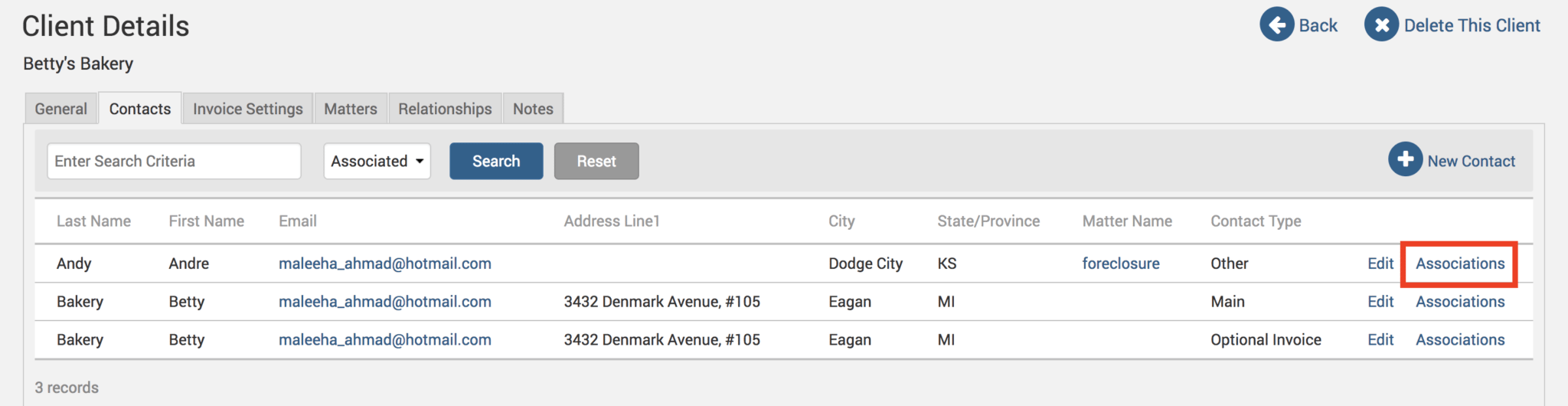
Click on the Associations link next to the contact that is saved under the Matter.
Find the Client level contact for that Matter. Again, you can recognize it as a Client level contact if there is no Matter name listed under the Matter column:
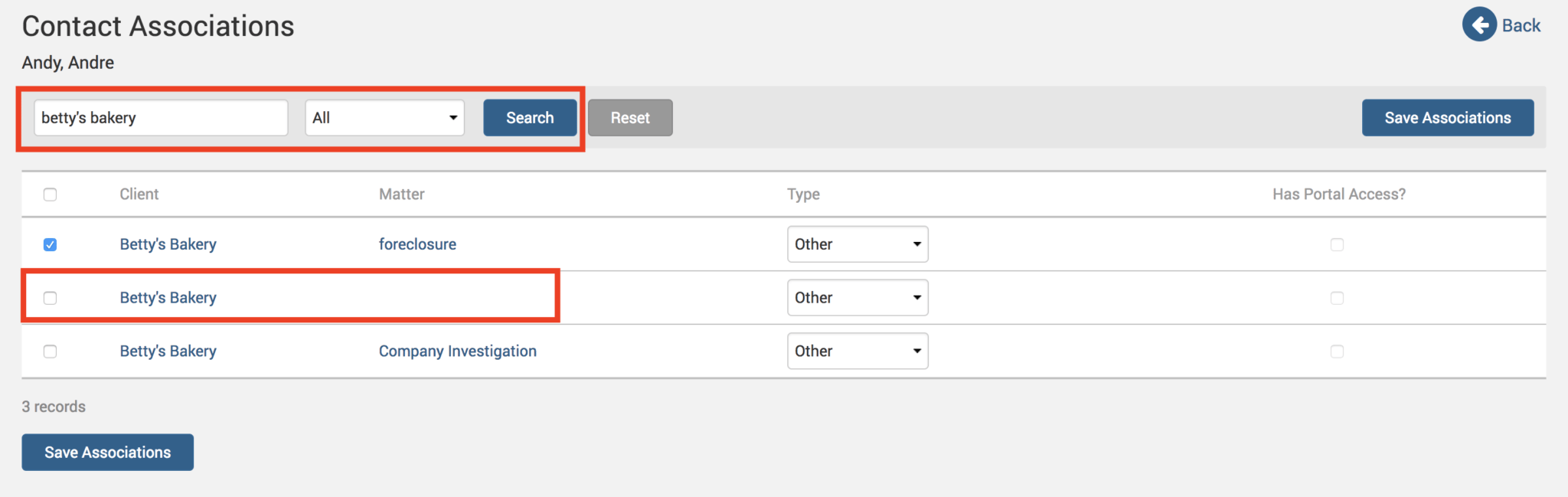
Select that contact, and make sure you select ‘Main’ or ‘Optional Invoice’ as the contact type. Click on Save Associations button and you will now have those Matter level contact details listed under the Client details through the new association.
You can now go ahead and create a Statement for the Client and have those contact details appear.
If you’d like TimeSolv support to help you with understanding the different types of contacts in TimeSolv, please call 1.800.715.1284 or Contact support!
wherever you do.
TimeSolv in action.





