Tip of the Week: Enable LawPay* Payments through Client Portal


Many of you may not know that you can allow clients to pay their bills through the client portal if your LawPay* account is connected to TimeSolv. This allows you to get paid faster by accepting online payments. And another great benefit of using TimeSolv is that your clients do not need to have an account and password set up to access the portal, as the emailed invoice will include a link for them to directly pay through.
Authorize TimeSolv in LawPay*
To link your LawPay* and TimeSolv accounts, log into your LawPay* account and click on your user name in the top right corner. Select ‘Settings‘ from the dropdown, and click on the ‘Developers‘ tab. Click on the Authorize Application button.
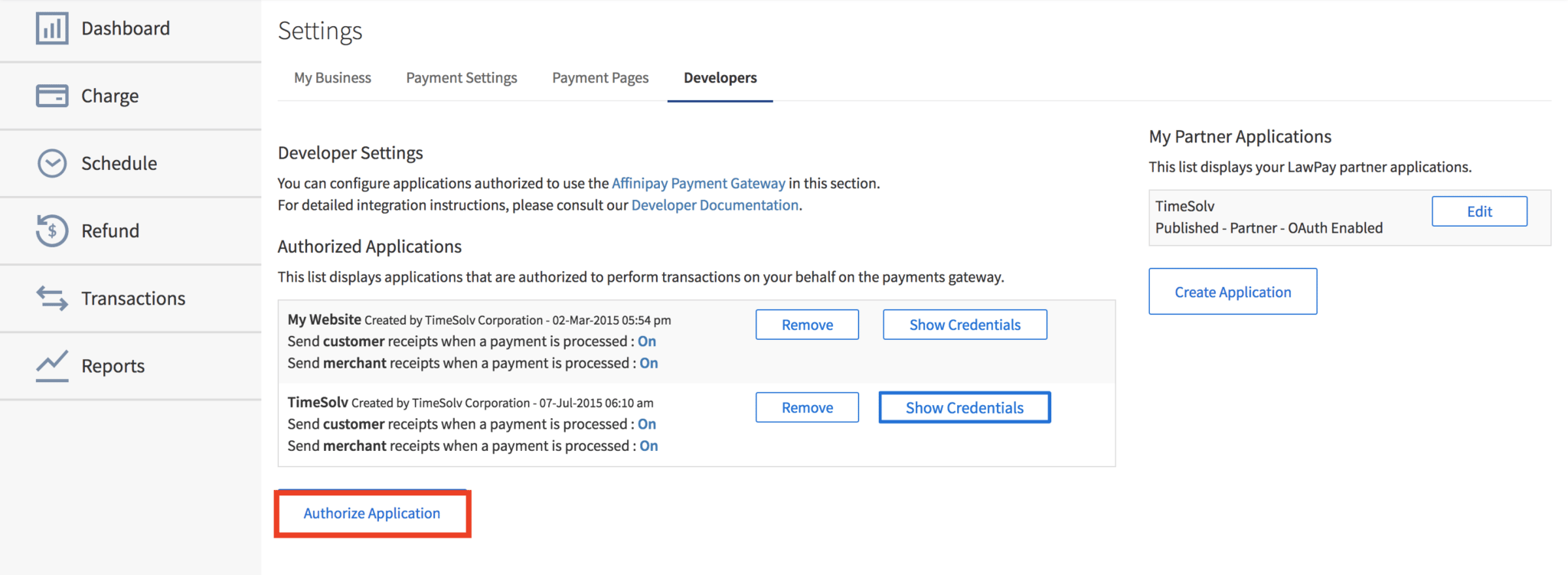
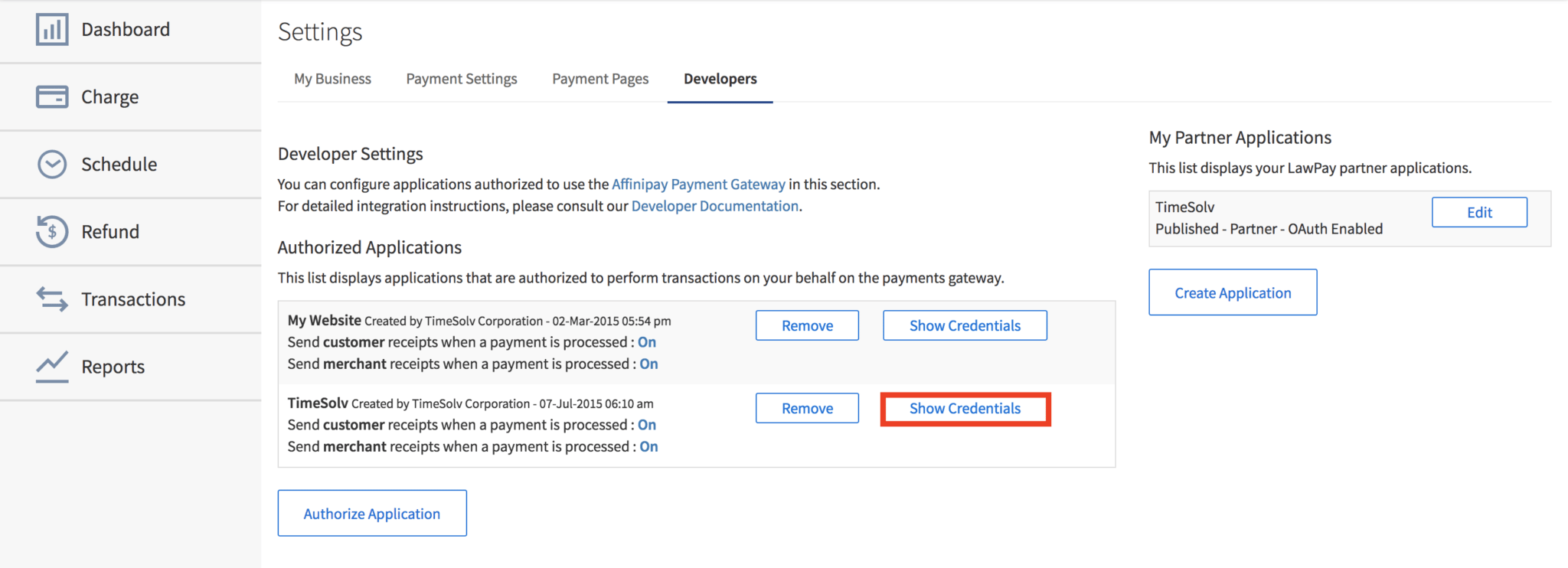
A small window will pop up asking you to select the application you would like to authorize. Select TimeSolv from the dropdown list of options, and click on the Authorize Application button. Next, click on the Show Credentials button, and a small window will pop up with a series of keys. Click on the Live Credentials tab and copy the ‘Live Secret Key‘ onto your clipboard.
Authorize LawPay* in TimeSolv
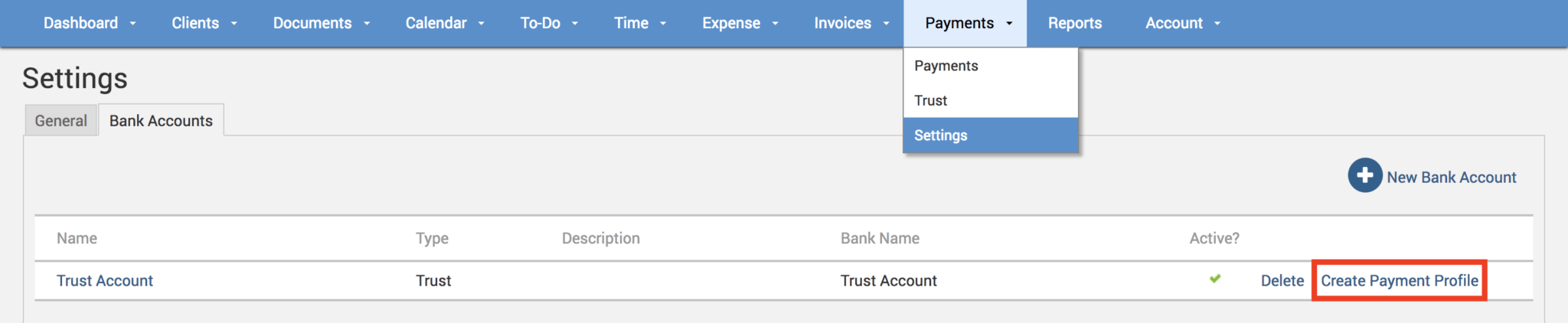
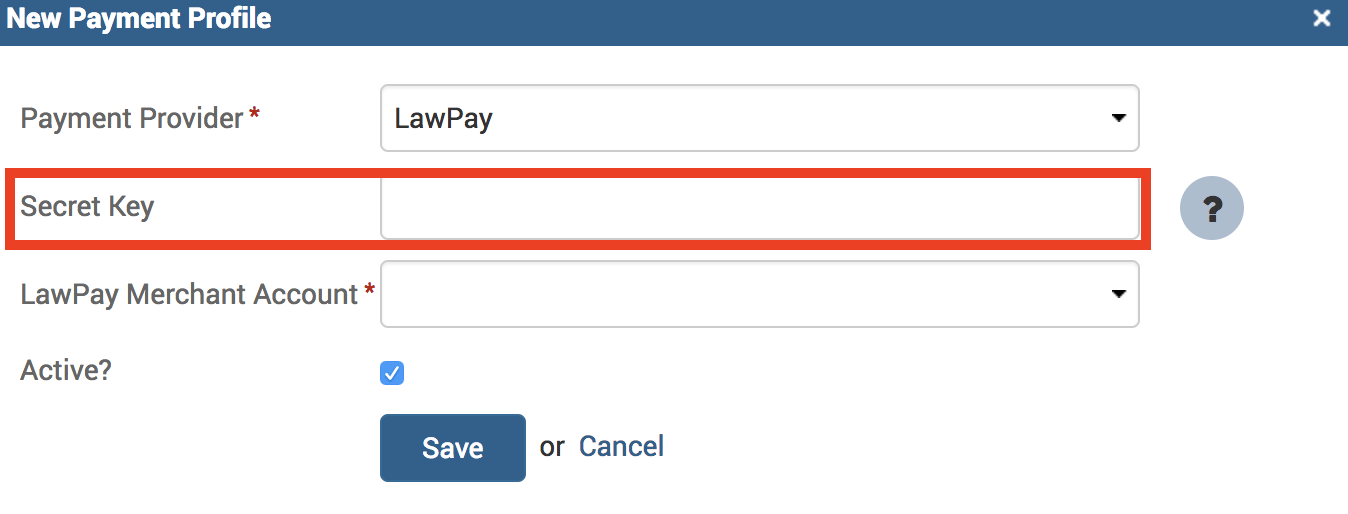
Receive Payments from LawPay*
Click on Clients>Settings>General in Timesolv. Ensure the ‘Enable Portal?‘ checkbox is enabled.
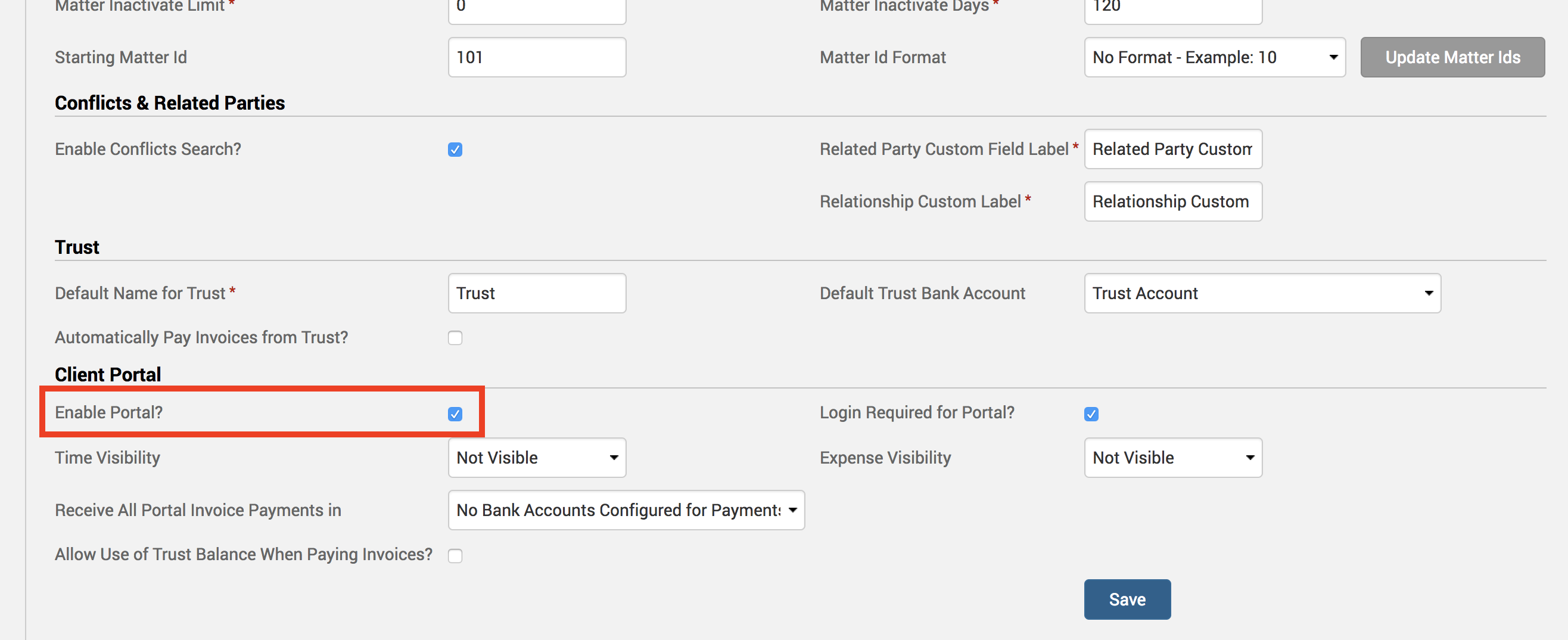
Below the checkbox, select the payment profile that you linked LawPay* with (above) for receiving all your portal payments in, and click Save!
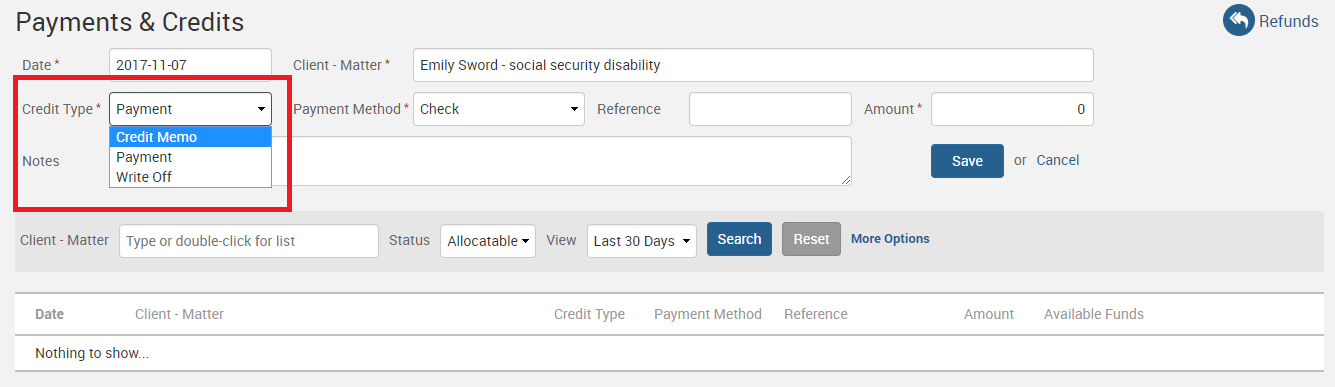
With this handy LawPay* integration, we offer the convenience of online bill payments, and with the client portal, clients can independently view invoices, payment histories, trust balances, and details of work in progress, allowing you to focus on other areas of your business.
If you’d like TimeSolv support to help you with our LawPay* integration, please call 1.800.715.1284 or Contact support!
*Integration fees may apply.
wherever you do.
TimeSolv in action.





