Tip of the Week: How to add interest to invoices


Understandably, no one wants to go unpaid without repercussions of delayed payments for services. This week’s Tip of the Week shows you how TimeSolv has set up an easy method of allowing users to enable an interest percentage rate to encourage their clients to pay on time. If clients already exist in TimeSolv, then first change the firm-level settings to apply interest to all future clients (below), and also change the interest settings on each existing client at the client level (Clients>Clients&Matters>[Matter]>Invoice Settings) if you wish to apply a specific client based interest term.
Click on Clients>Clients>Invoice Settings. Make sure the Apply Interest? checkbox is enabled.

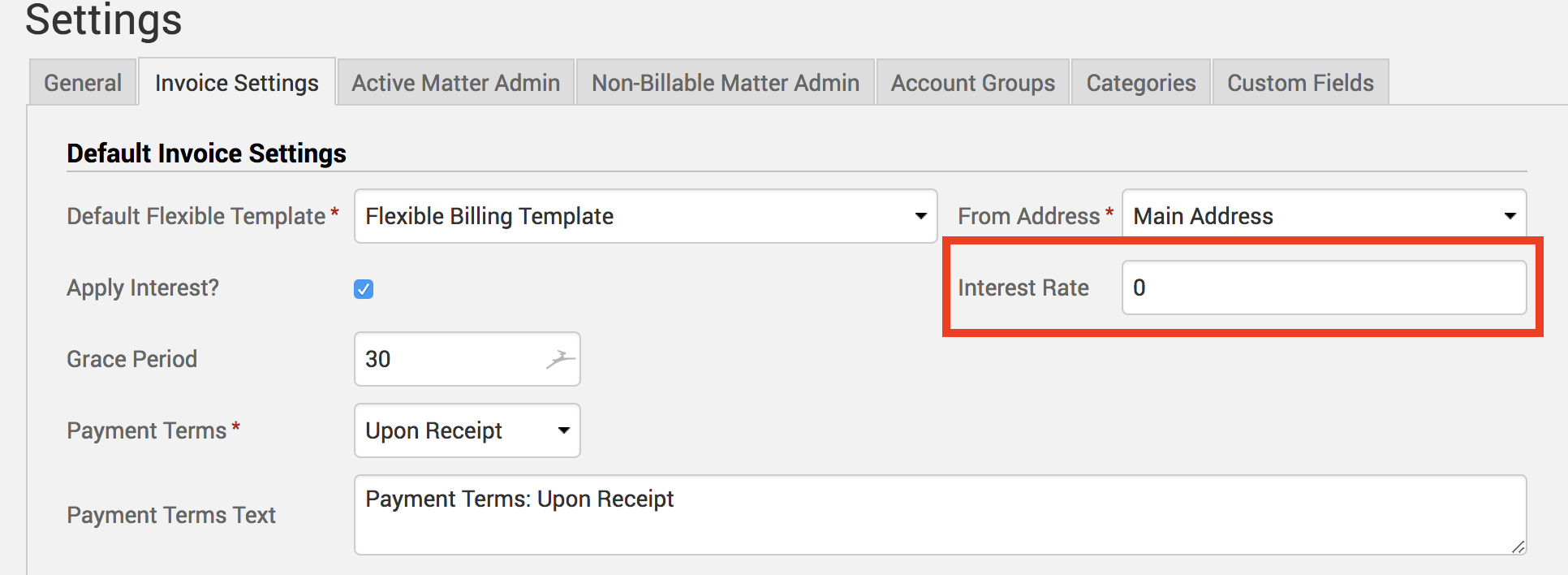
Specify an Interest Rate percentage. Interest Rate is based on an annual percentage rate. As an example, if you were to charge a 5% annual interest, you would enter 5 in this field. Or, if you wanted to charge 1.5% monthly interest, you would type in 18 (because 1.5 * 12 months of the year = 18).
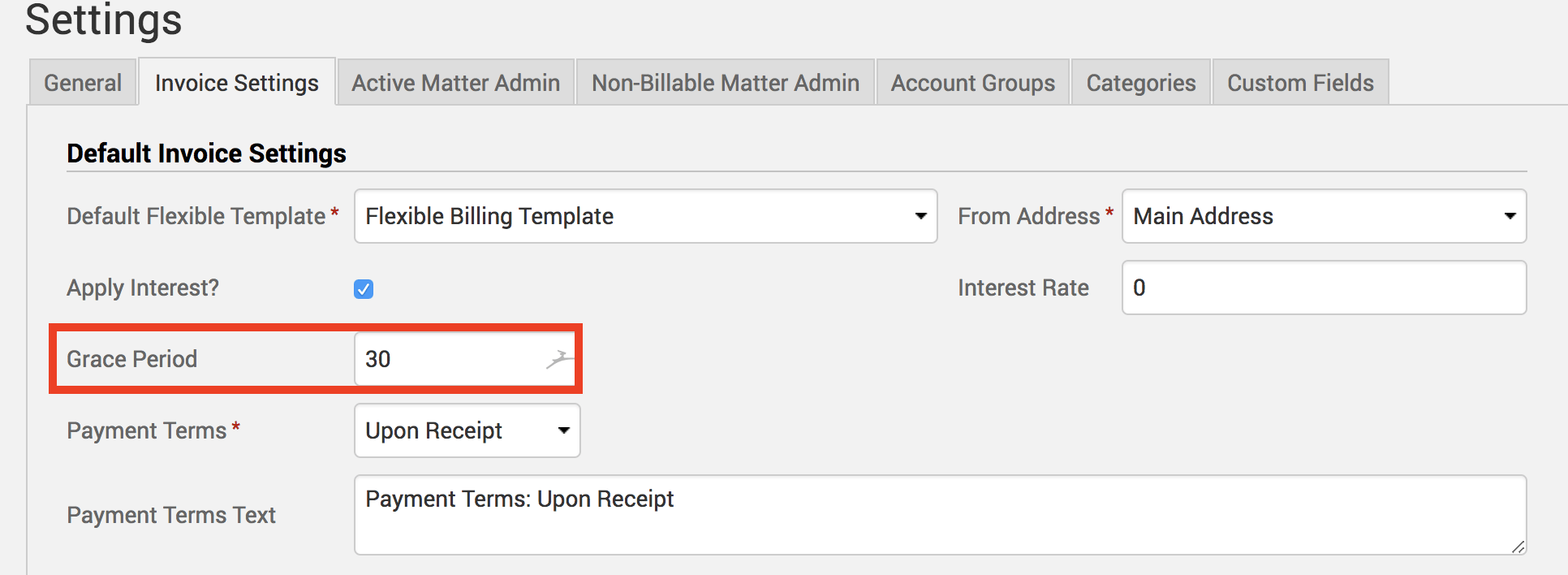
Specify a Grace Period (days). This is the amount of provisional time you will allow the client to make a payment beyond the due date before you begin to charge interest.
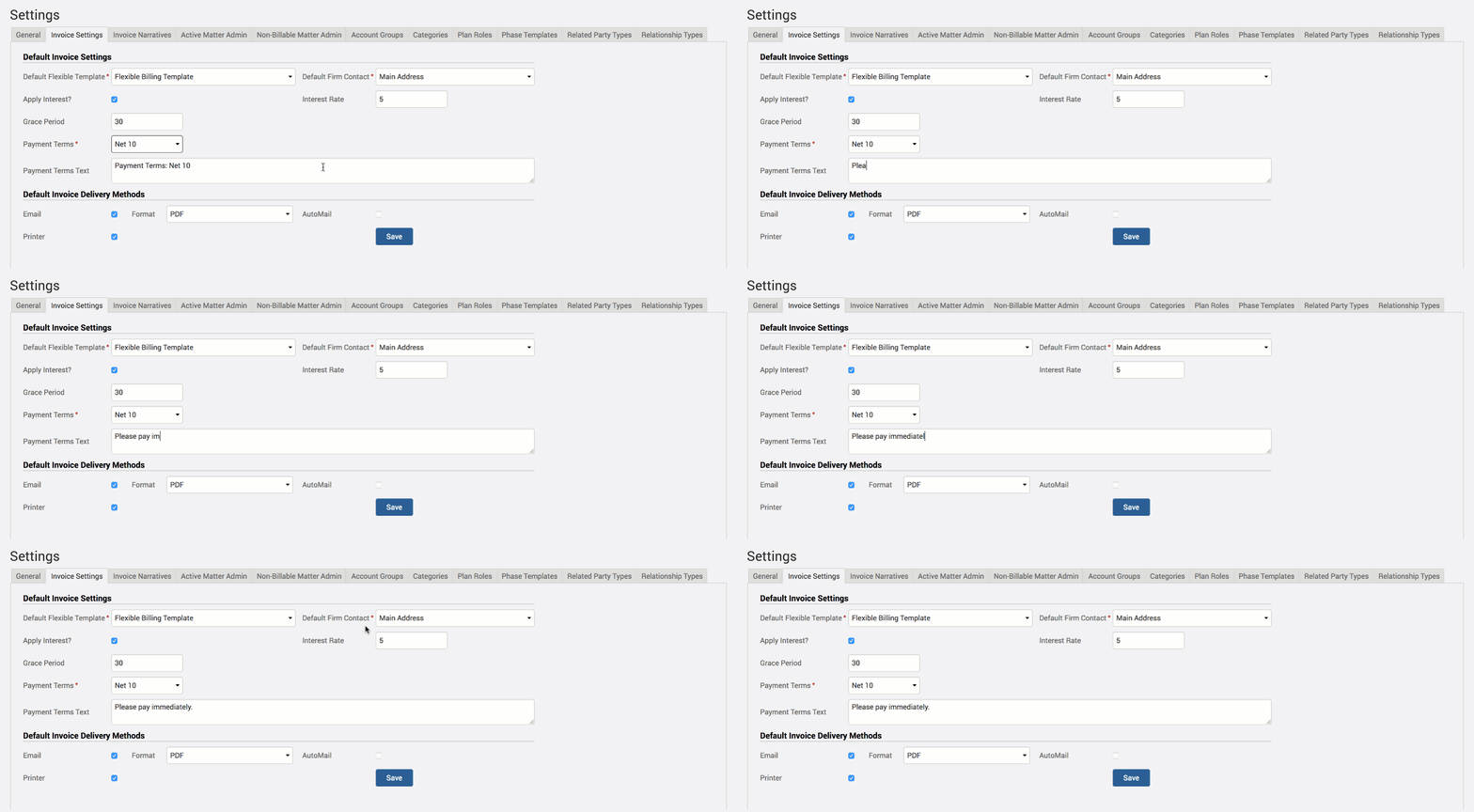
Set Payment Terms from either Upon Receipt or a Net amount. Interest will not start accruing until the grace period plus specified payment terms days have run their course. The Payment Terms Text will automatically be populated to whatever payment terms you selected. But you can clear this field out and write whatever you wish. This text box is the only place for you to notify your client what the payment terms are, so if you wish you can write ‘Please pay immediately’ despite having a payment term set up in your back office.
Interest is calculated based on the percentage you assign. Interest is assigned at that percentage for anything that is due over the grace period time allowed. If interest is unpaid, it becomes a balanced owed, so you would get charged interest on top of interest because it is calculated on the balance owed. For example, if your invoices give a 30 day grace period, then no interest is calculated within the first 30 days. On day 31, it would start to calculate interest on the unpaid balance owed at the percentage that you have assigned it.
If you’d like TimeSolv support to help you with understanding and adding interest to your invoices, please call 1.800.715.1284 or Contact support.
wherever you do.
TimeSolv in action.





