Tip of the Week: How to void sent invoice back to draft


Have you ever come across that one client that disputes an old invoice and took their time in letting you know there were amendments to be made? TimeSolv allows users to void any sent invoice back to draft, no matter how old it may be. This week’s Tip of the Week will walk you through the steps of voiding an invoice back to draft.
Void back to draft
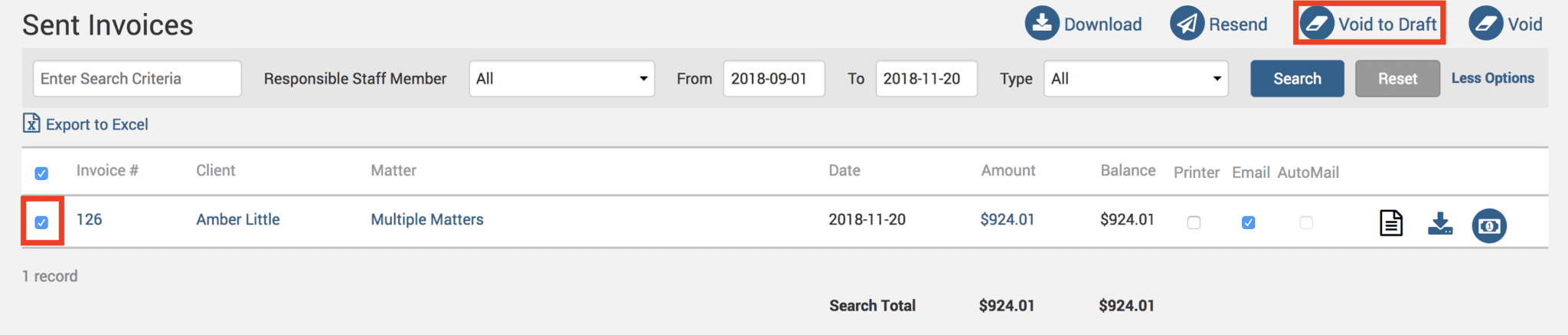
Head under Invoices>Sent to view a list of your sent invoices or use the search bar to search for an older invoice. Select the checkbox next to the invoice you wish to void back to draft and click on the Void To Draft button at the top right corner of the screen.
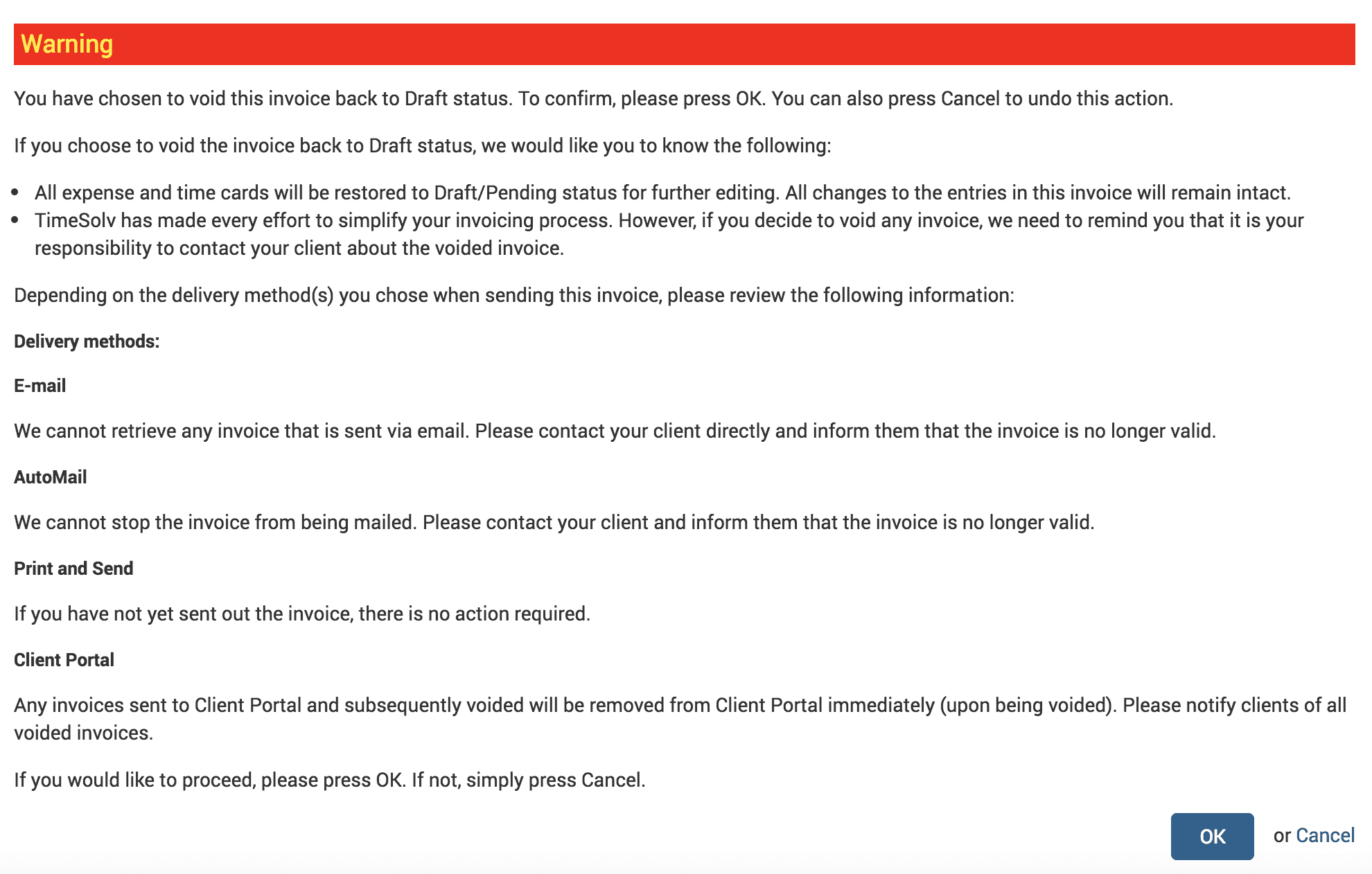
You will get a warning message before you can proceed to warn you of the following:
Remove allocations
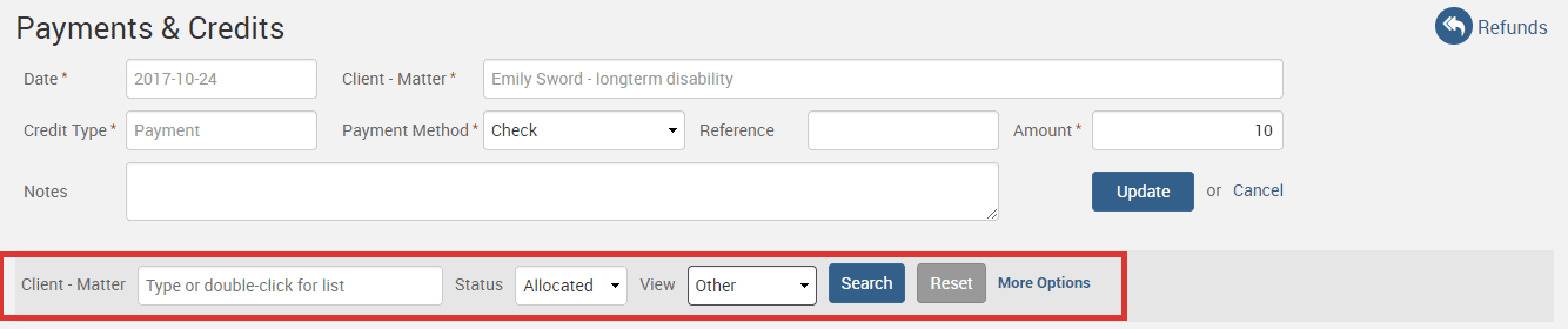
However, if you have already allocated a payment to the invoice, you will first need to remove the payment allocation before you can void the invoice back to draft. To do this, go under Payments>Payments link. Specify a specific Client-Matter or just leave the field blank to pull up all clients and matters, and select the Status as Allocated. Specify a time period or select Other to avoid search limitations. Hit the Search button to pull up allocated payments list.
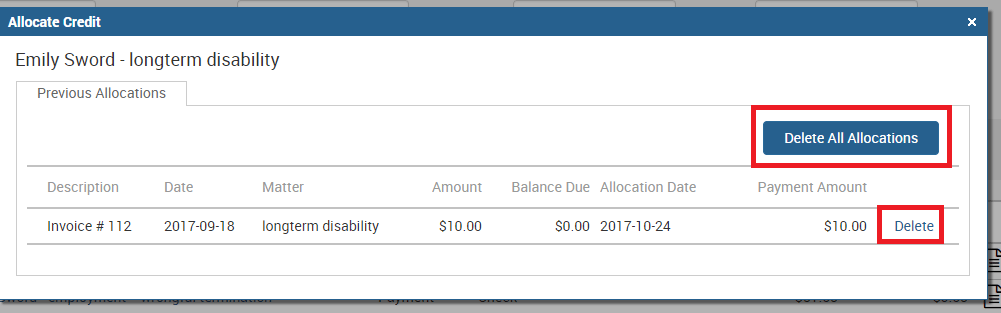
Click on Reallocate link next to the paid invoice you wish to send back to draft, and then click on Delete link next to the allocation, or Delete All Allocations button at the top.
Now that this invoice has no payments attached to it, you can void it back to draft as shown in the steps above.
Use same invoice number
Now let’s say you’ve voided the invoice back to draft, but you want to make those small amendments and send it back out to the client with the SAME invoice number that was generated for the previous one you voided. To achieve this, you need to go under Invoice>Settings and manually type in the invoice number you want to use for the next invoice sent out.
So for example, if I voided a sent invoice back to draft that was numbered ‘127’, before sending the amended invoice back out to the client I’d go under Invoice>Settings and type in ‘127’ in the box shown below. Now when I send the amended invoice again immediately after, it will be assigned the chosen number ‘127’.
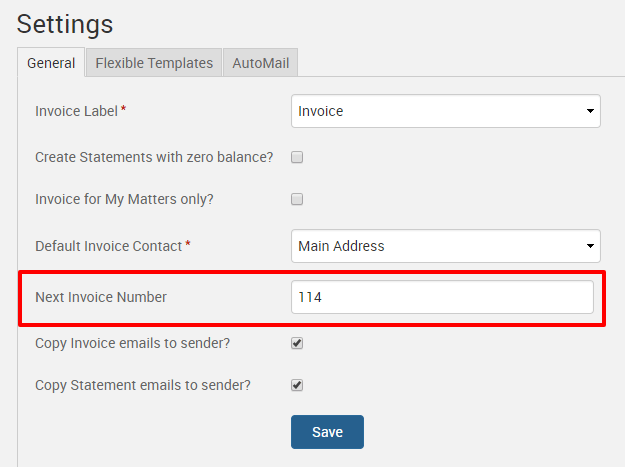
While all future invoices will not override the previous invoice numbers that had already been generated in consequential order, we highly recommend that you change the Next Invoice Number field back to the latest number it was at. The reason being, if you have several invoices voided back to draft, those voided invoice numbers will become available in the system, so you will essentially have holes in the consequential order according to the system. So, if you haven’t gone back in to change the Next Number Field, and have left it to the system to work its way up again, you may end up with your next invoice number taking on a voided slot.
Voiding old invoices back to draft allows you to easily make those small amendments and corrections to a draft invoice, saving you the time and hassle of having to void the incorrect invoice and create a new one from scratch!
If you’d like TimeSolv support to help you with voiding invoices back to draft, deleting payment allocations, or using the same invoice number of a voided invoice, please call 1.800.715.1284 or Contact support.
wherever you do.
TimeSolv in action.





