Tip of the Week: Related Parties and Conflicts Search


Conflicts checks are a way of ensuring attorneys are working in the best interest of their clients while protecting them in the most responsible way. Attorneys cannot work with a client if their matter conflicts in interest with another client. This is where technology steps in to make your life easier; enable TimeSolv’s conflict checking feature and allow the system to check for any related parties. This week’s Tip of the Week will help walk you through the steps to achieve this.
Make sure you have conflicts search enabled under Client>Settings.
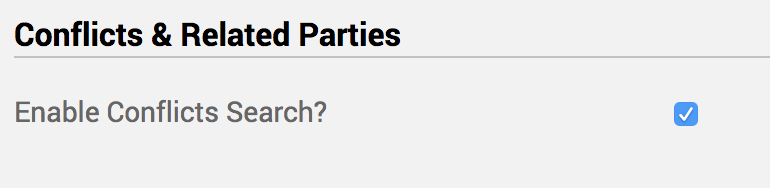
Next up, you’ll want to specify the different types of relationships you want to track, and the types of related parties. First head under Clients>Settings>Relationship Types tab and add relationships, i.e. ‘Judge’, ‘Consultant’, ‘Defendant’, ‘Defense Witness’, etc.
Then enter under the ‘Related Party Types‘ under the next tab, such as ‘Client’, ‘Judge’, ‘Attorney’, ‘Witness’, etc.
Now under the Clients drop-down at the top of the screen, you will see a Related Parties link has appeared. Click on that to start adding any Related Parties.

Click on ‘Edit‘ next to the newly created Related Parties to create the relationships you need to track right at the bottom of the edit screen. When creating a new relationship you can see that TimeSolv allows you to specify the type of relationship, the sub-type, the associated Client-Matter, and any other extra details you need to associate with this relationship.
Now head under Client tab at the top of the screen and click on Conflict Search link to enter the name of the person or company, or any other details. Results will show if the associated person is already in the system and what kind of relationship they may have with the Client/Matter.
If you’d like TimeSolv support for more help in understanding our conflicts checking feature, please call 1.800.715.1284 or Contact support!
wherever you do.
TimeSolv in action.





