Tip of the Week: Reports


Monthly reports are valuable tools in building a successful law practice. They provide you with detailed information about your firm from a variety of financial and management perspectives. Used properly, monthly reports can help you identify what is working within your business and what needs improvement. Gain fresh insights into your business with 31 different reports for law firms and other businesses covering billable hours, accounts receivable, expenses, performance, and more. Our insightful reports can be viewed and shared in 10 formats, including PDF, Excel, Word, and more.
Click on the Reports tab to access. We have several different options and filters available, such as filtering by originating professionals.
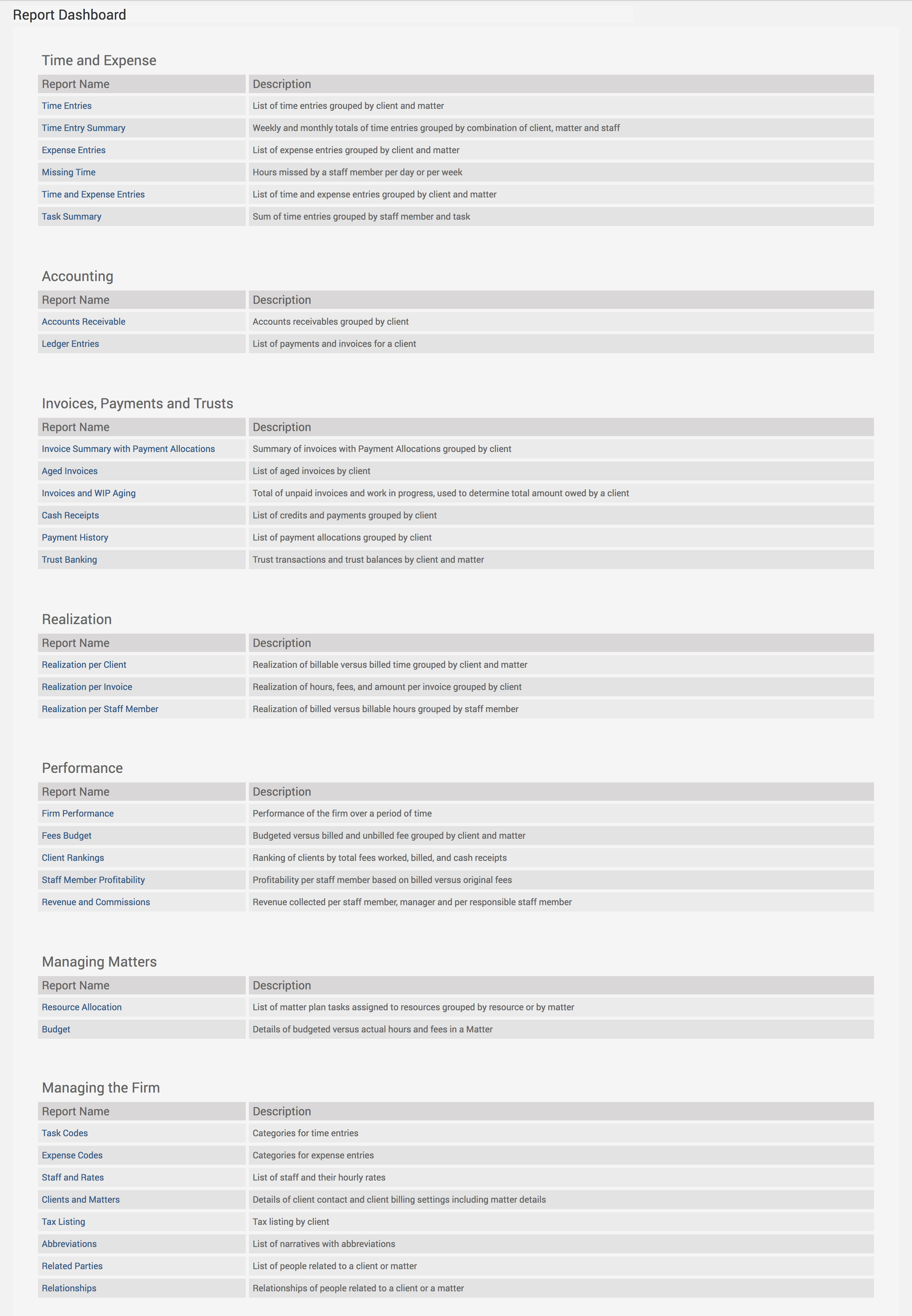
Or you can even create Client/Matter Categories or Professional Groups and apply those as filters to the reports. To create Client/Matter Categories, click under Clients>Settings>Categories. To create Professional Groups, click on Accounts>Settings>Professionals Groups. Then head over to the Reports tab. Categories feed into several of TimeSolv’s reports and can be very helpful to your firm. Categories will feed into the following reports:
- Time Entries
- Time Entry Summary
- Expense Entries
- Activity Summary
- Cash Receipts
- Payment History
- Realization Reports (Professional, Invoice, Client)
- Fees Budget
- Professional Profitability
- Revenues & Commissions
- Resource Allocation
- Budget
- Accounts Receivable
- Invoice Summary with Payment Allocations
Downloading reports into CSV format allows for additional filtering and sorting in Excel.
Additional benefits of utilizing our reporting feature:
- Stay on top of all your accounting tasks by grouping your Accounts Receivables by the client.
- Keep an eye on budget vs. billed, which timekeeper is the most profitable, etc.
- Check how your resources are being allocated along with the details of all budgeted matters.
- Ensure you have all the information you need with regards to time and expense tracking by pulling reports on matters such as hours missed by timekeepers and task summaries.
If you’d like to contact TimeSolv support for help, please call 1.800.715.1284 or Contact support!
wherever you do.
TimeSolv in action.





