Tip of the Week: Scheduled invoices


TimeSolv users can now set up milestone matters upfront and generate them from the ‘Create Draft’ screen. To prevent automatically marking a milestone as completed and generating an invoice for it, users can disable the ‘Automatically Complete Milestone and Generate Invoices’ option. This week’s Tip of the Week will walk you through how to set this up and how this enables users to create scheduled invoicing.
Firstly, head under Clients & Matters>[matter name]>Invoice Settings and select Billing Arrangement Options as ‘Time and Materials‘ and Event as ‘Milestone‘.

This means users no longer need to go into each matter individually and mark the milestone as complete to finalize the invoice. Now users can create these milestone based invoices directly from draft invoices screen. If the milestone(s) come within the specified date range selected under Invoices>Drafts>Create Draft Invoices screen the system will generate an invoice against it, whether or not it has been marked as ‘completed’ under the individual matter plan details. When a draft invoice is generated against it, it will also auto-complete the milestone.
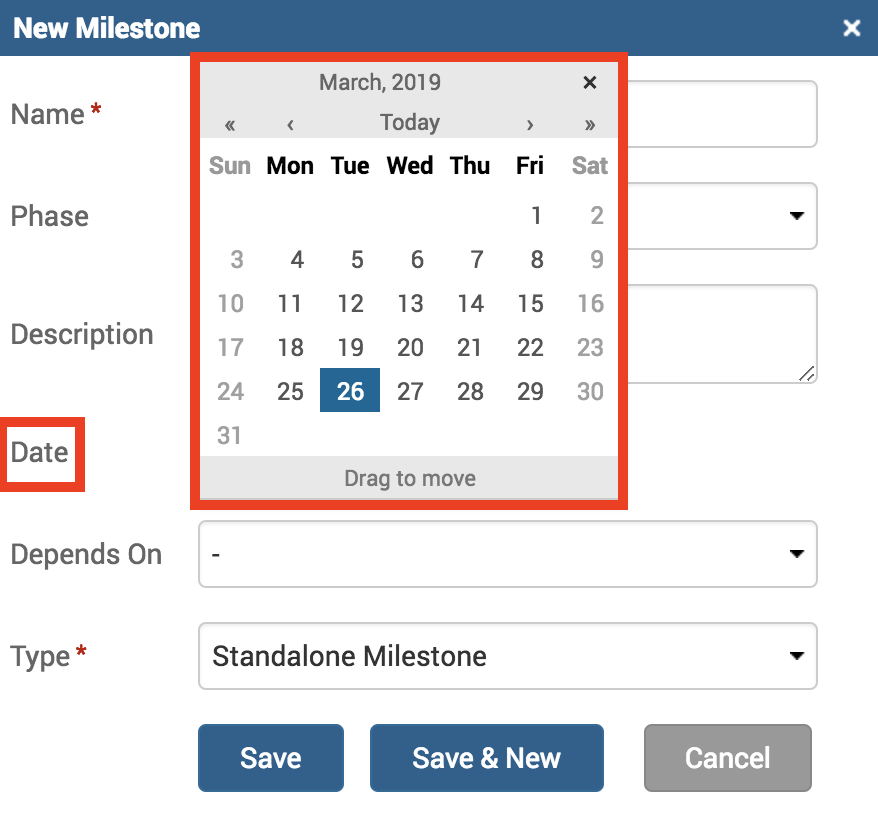
Users can use this feature to now set schedules for milestone invoices. For example, if you want quarterly billing you can set whatever schedule needed by setting the relevant date against the milestone under Clients & Matters>[matter name]>Matter Plan>New Milestone.
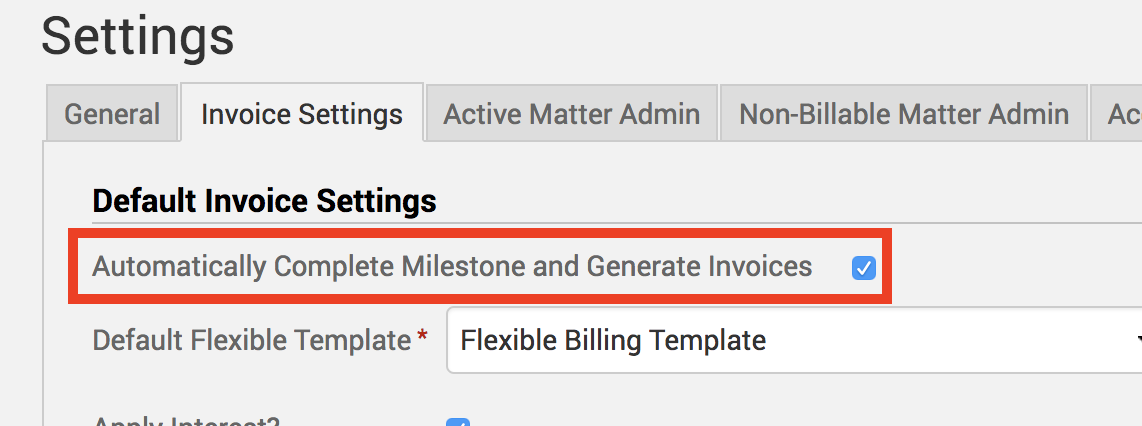
To prevent an invoice being automatically generated so that you can ensure a milestone is complete before an invoice is generated, please deselect the ‘Automatically Complete Milestone and Generate Invoices‘ checkbox. This can be done both for individual matters or can be a universal setting. For individual matters, see image below for the checkbox.

For universal settings, click under Clients & Matters>Settings>Invoice Settings.
If you’d like more help with understanding how milestone invoicing works in TimeSolv, please call 1.800.715.1284 or Contact support.
wherever you do.
TimeSolv in action.