Tip of the Week: Creating global rates

We get this question asked all the time: “how can I create a second billing rate for my timekeepers?” The answer with TimeSolv is with our global rates feature. Many firms will offer various rate options like a non-profit rate or a discounted rate for first time clients. Perhaps you’ve negotiated a rate specifc to a client and all the matters you’re working for them. All these scenarios can be handled with TimeSolv’s global rates and that’s our Tip of the Week.
To create the various global rates your firm needs, go to Time -> Settings and then the Global Rates tab.
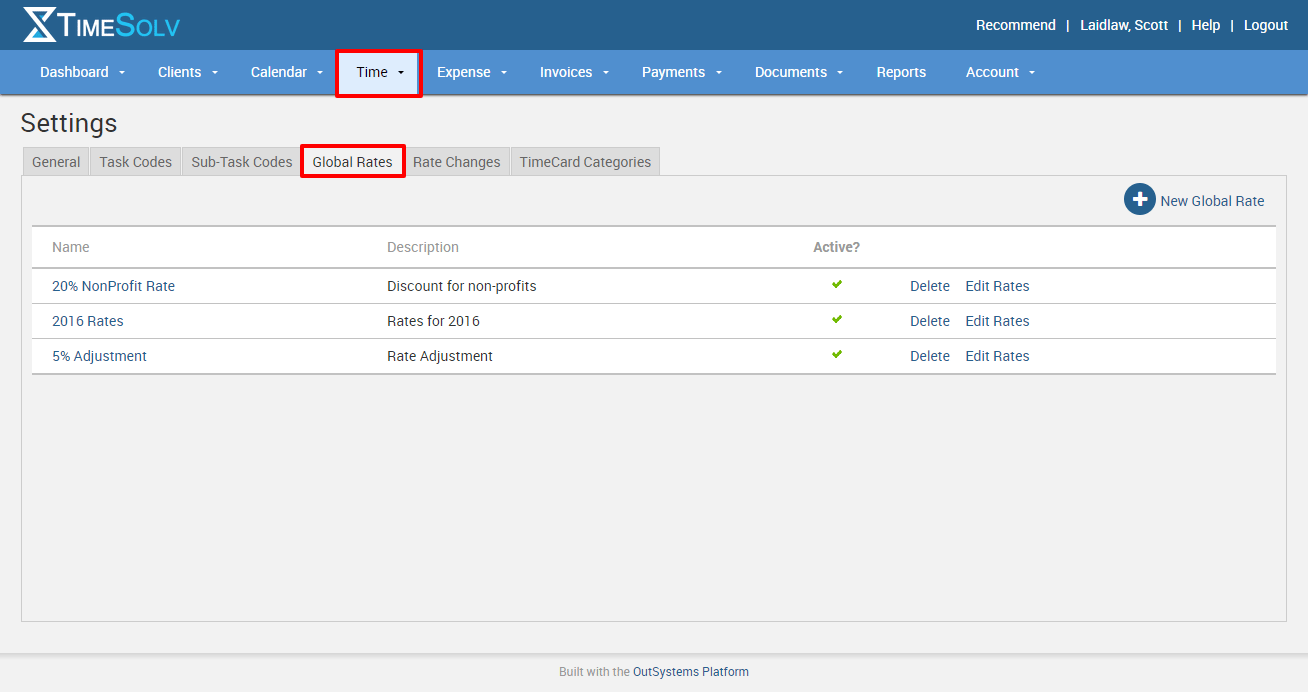
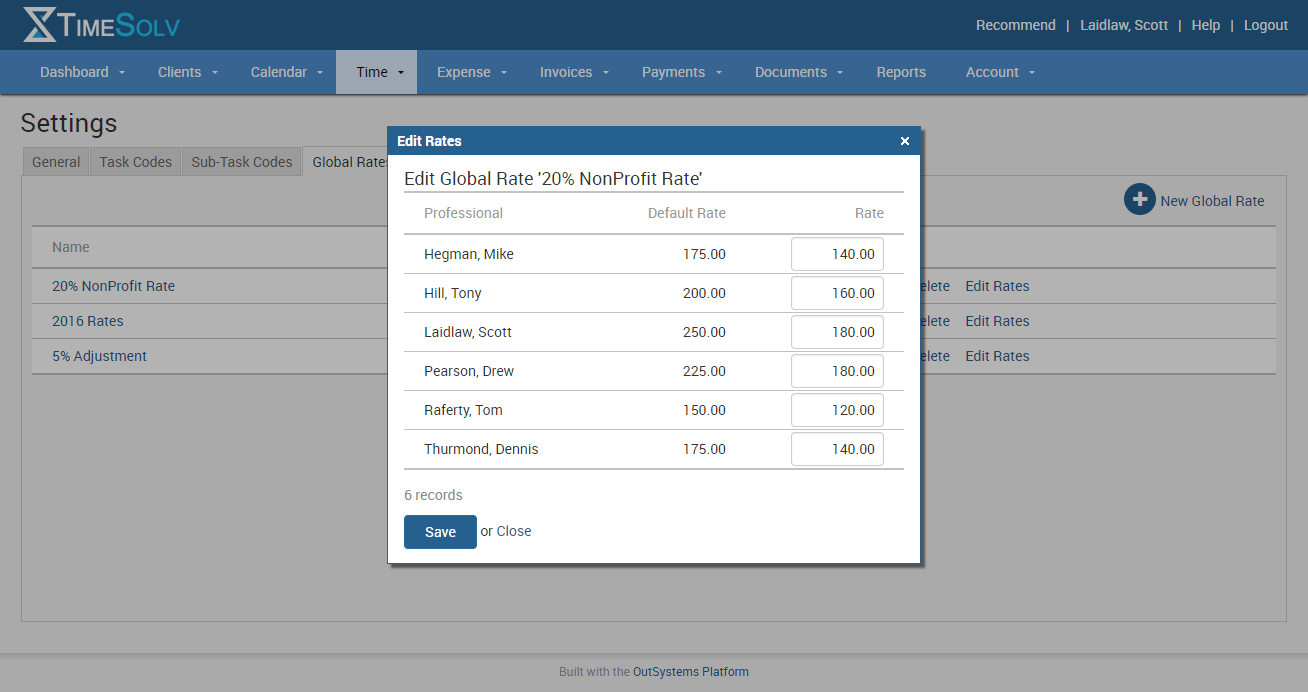
Click on New Global Rate in the upper right corner and a window will open displaying all your timekeepers and their default rate. Simply enter the rate you’d like for your timekeepers. Please note that if you don’t need to change the rate for all your timekeepers, just leave those blank and when you apply this global rate to a client or matter, that timekeeper’s rate will still be at their default rate.
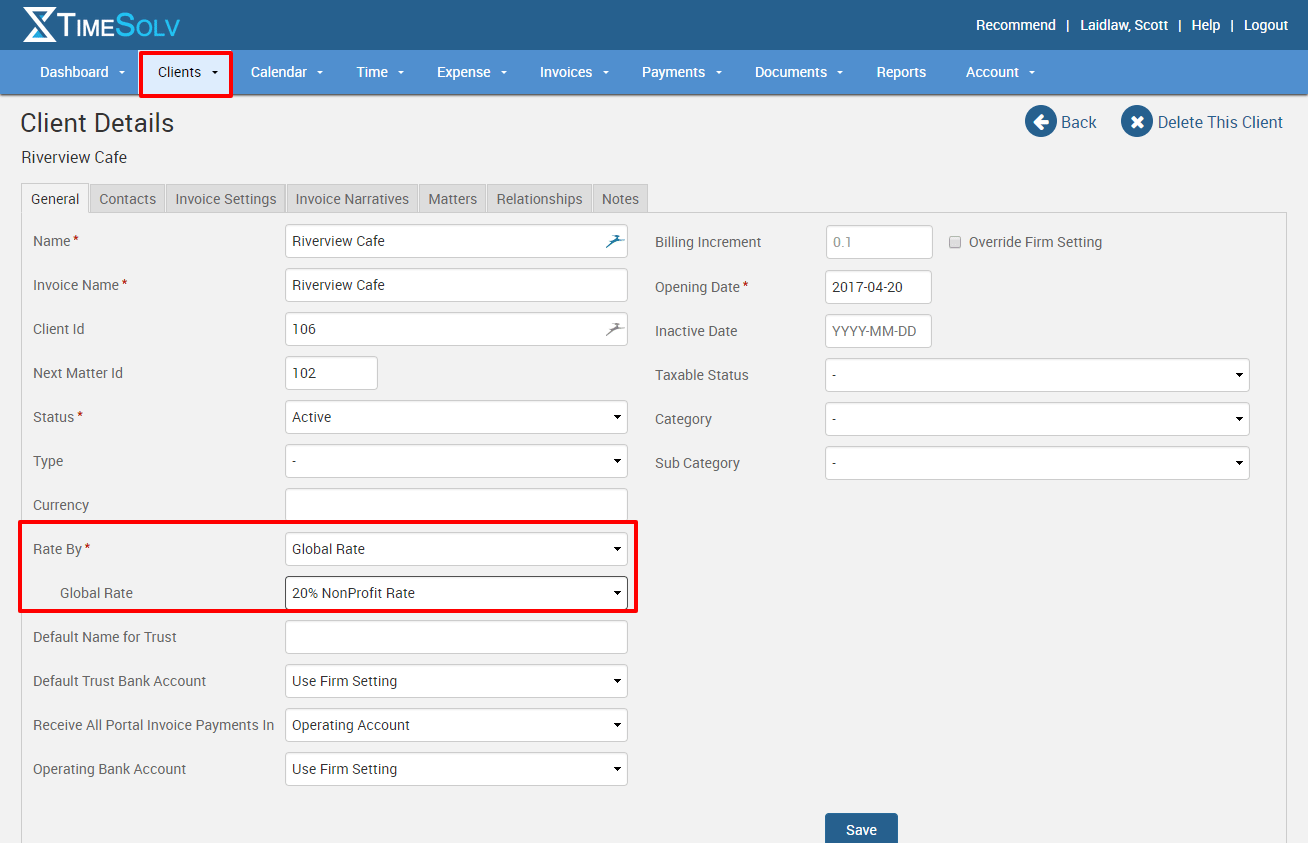
Once you have all your global rates established you can now apply that rate to future clients and/or matters. Select the client or matter you want to apply a global rate to and in the left column you’ll see a “Rate By” field. Choose Global Rate and a dropdown menu will appear that allows you to select the global rate you’d like to apply. Be sure to save once you’ve made your selection. Please note as well that if you change the rate for a client or matter, that will only apply to future matters, it will NOT retroactively change the rates for entries made previous to the change.
If you’d like more help with setting up your global rates, call us at 1.800.715.1284, email us at support@timesolv.com or Contact support.
Don’t forget to register for our Wednesday Webinars where we review all the Tip of the Week posts from the past month. Our next Wednesday Webinar will be September 6 at 1 p.m. EDT/10 a.m. PDT.

wherever you do.
TimeSolv in action.





