Tip of the Week: Recording Payments and Allocations


Payment allocations are an important part of payment tracking and important for any successful business. You need to know how much money you are owed, and to do this you must allocate correctly to know which invoices have been paid. Tracking and allocating payments is an efficient way of managing your business and driving it towards success. That’s why this Tip of the Week will show you how to record a payment and then allocate it to the appropriate invoice.
Once you receive payment from a client, the remittance can be recorded under the Payments>Payments tab. You can keep an accurate and up-to-date record of payments and promptly allocate your receipts to the appropriate projects.
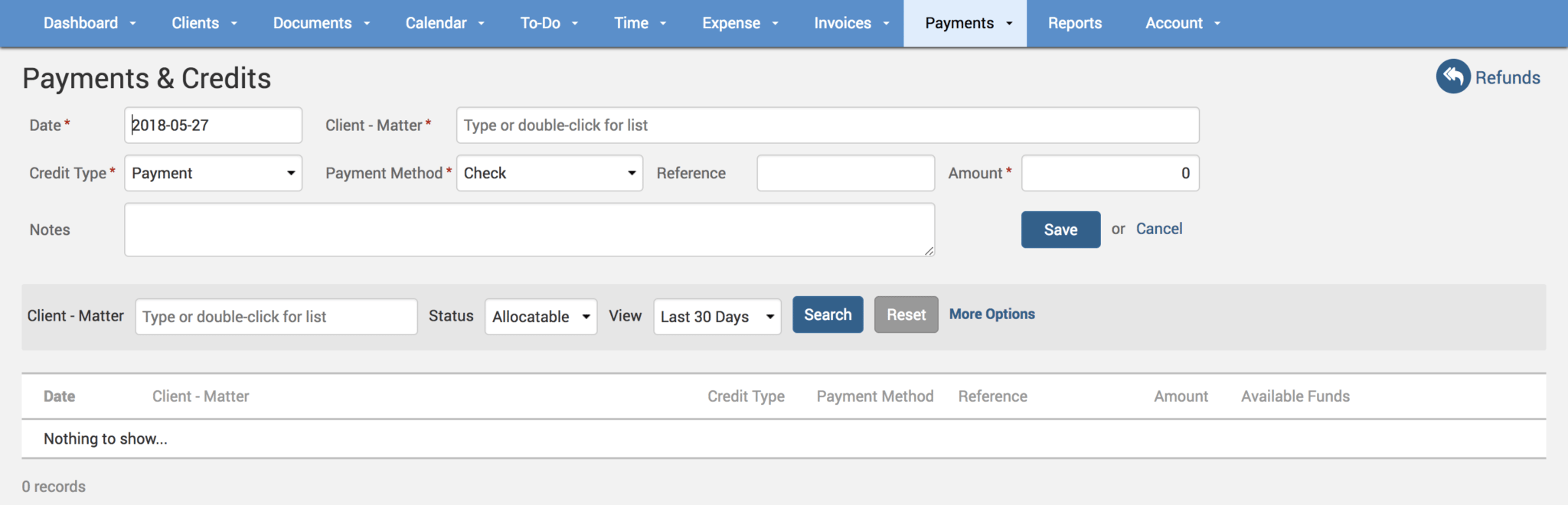
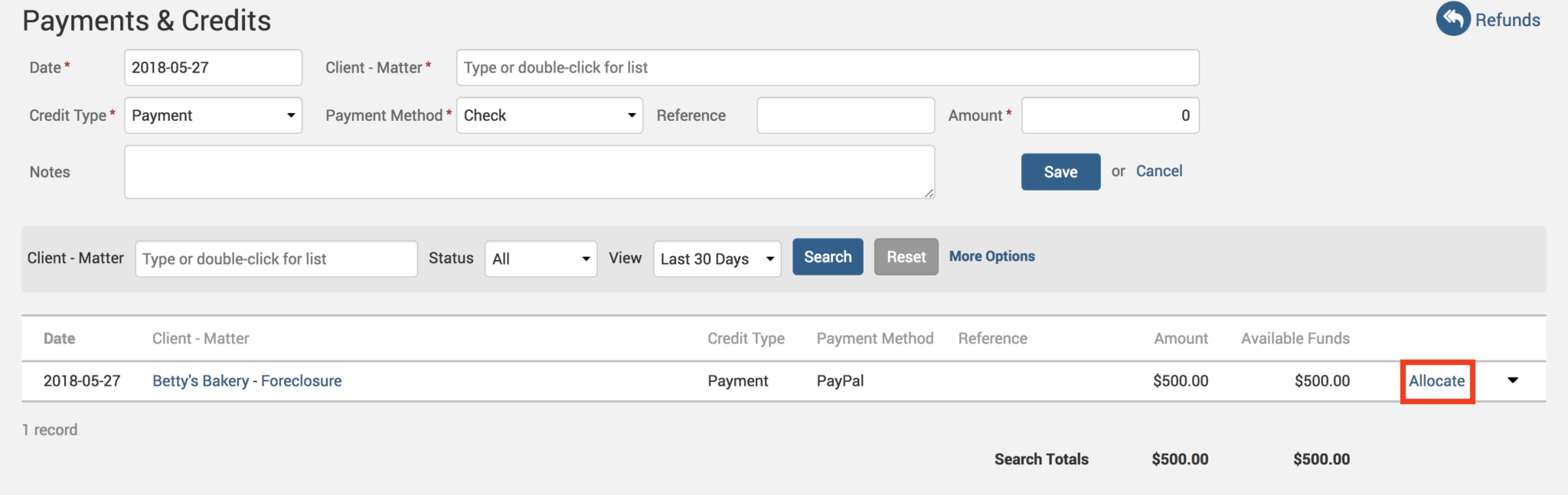
Specify a Credit Type e.g., Credit Memo/Payment/Write Off such that the Payment Method drop-down gets populated accordingly with the credit type specific options. When you fill in all the relevant details in the form above and hit the save button, you can then proceed to allocate this payment to the appropriate Client-Matter by clicking on the ‘Allocate’ link next to it:
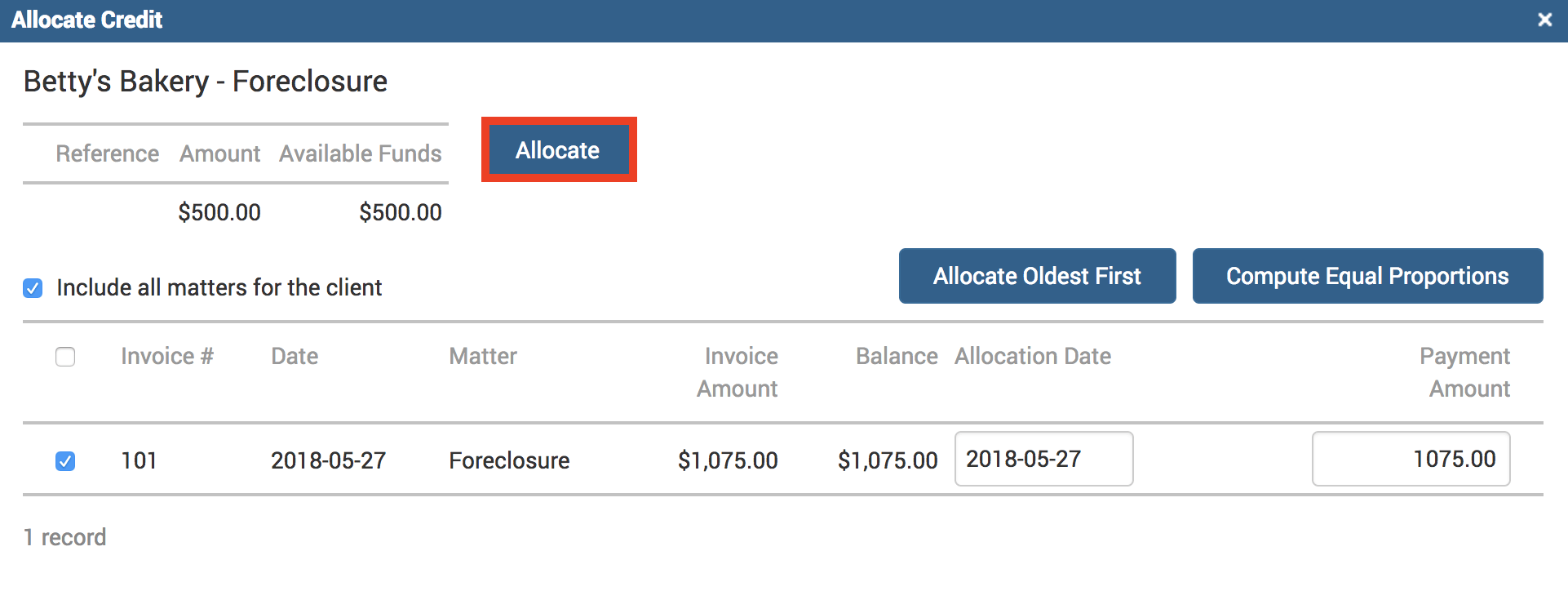
A window will pop up giving you a few options on how you would like to allocate this amount. Clicking on the Allocate Oldest First button will allocate the entire amount to the unpaid oldest invoice if you have multiple unpaid invoices listed under this Client-Matter. Clicking on the Compute Equal Proportions button will equally distribute the allocation amount between all the unpaid invoices. The Allocation Date field is used for the date funds are to be applied to the unpaid balances. It is important to note that this date selection will affect how the reports are then run against this payment.
Click on the Allocate button to complete this process, and another window will ask you to click ‘Save‘ to confirm this allocation.
Payment allocations also means a healthier cash flow without interruption of income. And when you are on top of payment allocations, you can easily identify any shortfalls and investigate errors quickly.
If you’d like more help on recording your payments and/or making allocations call us at 1.800.715.1284, email us at support@timesolv.com or Contact support.
wherever you do.
TimeSolv in action.