Tip of the Week: Trust and Payment Allocations


Tracking payments, knowing how much money you are owed, and allocating incoming payments accurately is an indispensable embodiment of any well managed and organized business. This week’s Tip of the Week will show our users how to record payments and allocate them to specific invoices.
When a payment has been received, the remittance for the payment can be recorded under the Payments>Payments screen. When users specify a Credit Type (Credit Memo/Payment/Write Off), the Payment Method drop-down gets populated accordingly. When the remittance for the payment is complete, click on the ‘Allocate’ link next to the payment listed below to allocate.
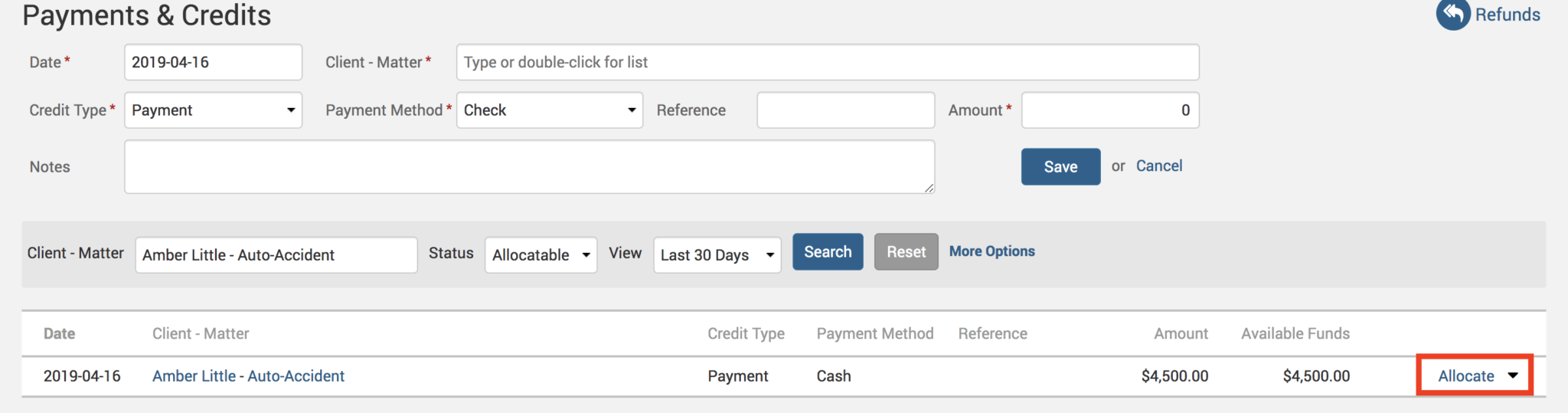
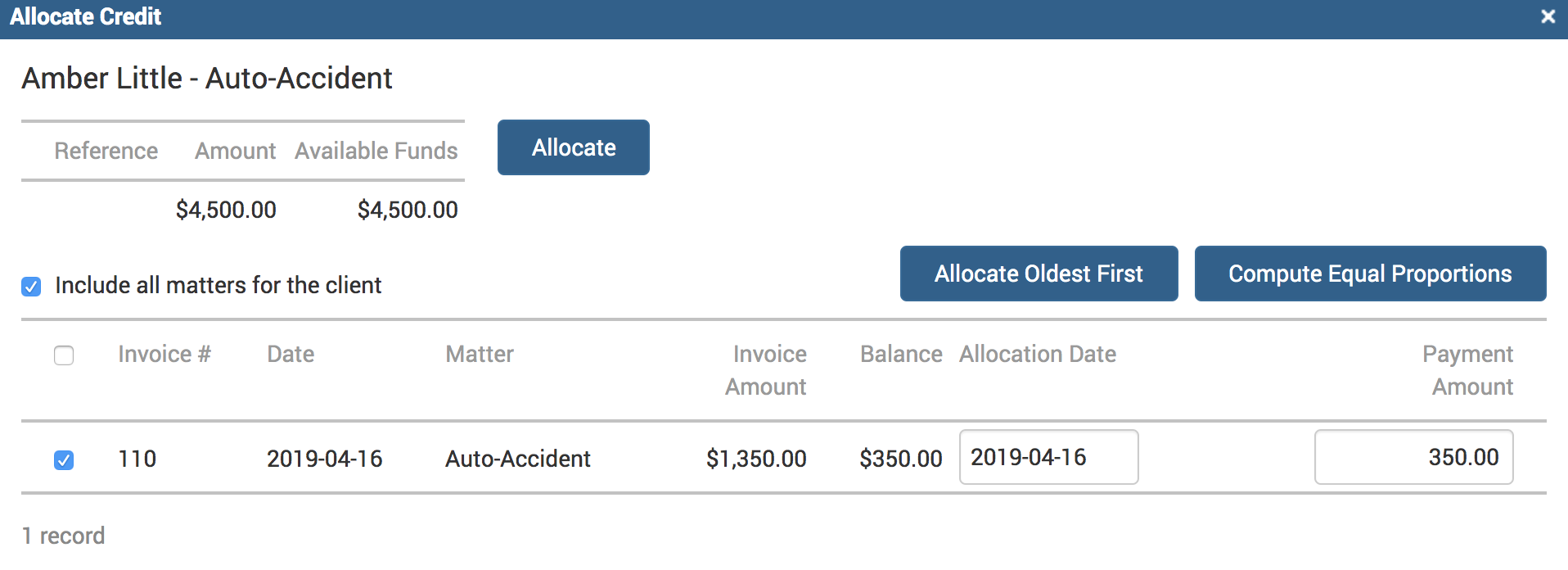
A window will pop up giving you a few options on how you would like to allocate this amount:
Allocate Oldest First – will allocate the entire amount to the unpaid oldest invoice if you have multiple unpaid invoices listed under this Client-Matter.
Compute Equal Proportions – will equally distribute the allocation amount between all the unpaid invoices.
Allocation Date – the date the funds are to be applied to the unpaid balances. It is important to note that this date selection will affect how the reports are then run against this payment.
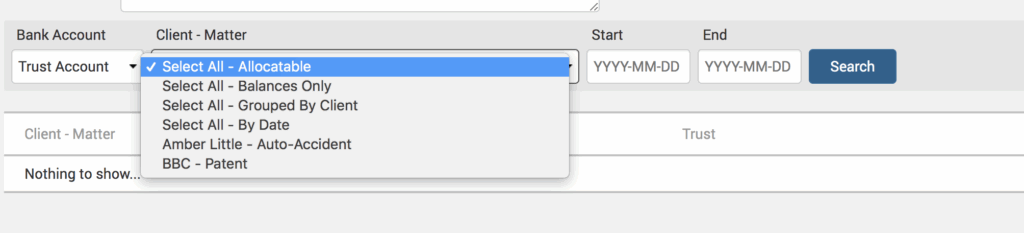
When allocating from Trust, click on Payments>Trust. Scroll to the bottom and choose ‘Select All-Allocatable‘ in the search field to pull up all allocatable payments. Then follow the same steps shown above to allocate the Trust payment.
When accurately allocating payments, it means uninterrupted income management and sets the stage to easily and quickly identify any shortfalls or errors immediately, saving you from a bigger headache later down the line when there’s a potentially big mess to clean up!
If you’d like TimeSolv support for more help in understanding Trust and Payment Allocations in TimeSolv, please call 1.800.715.1284 or Contact support!
wherever you do.
TimeSolv in action.