Tip of the Week: Updates to QuickBooks Sync for QuickBooks Online


TimeSolv likes to help its users be on top of their accounts, so when we are asked to deliver more complex accounting needs of our clients, we delivered. Last week, we rolled out a series of updates to our sync tool for QuickBooks online. Users of the QuickBooks Sync tool do not need to do anything to update to the latest version of the software. When you open the app, you will login as usual and the new update will automatically be loaded for you. So let’s take a look at what’s new!
1. Sync only active Customers & Jobs
A nice new update is that you no longer have to sync all of your Customers & Jobs (aka Clients and Matters) data between QuickBooks and TimeSolv. We have added a checkbox allowing you to choose just the active Customers & Jobs to sync over.
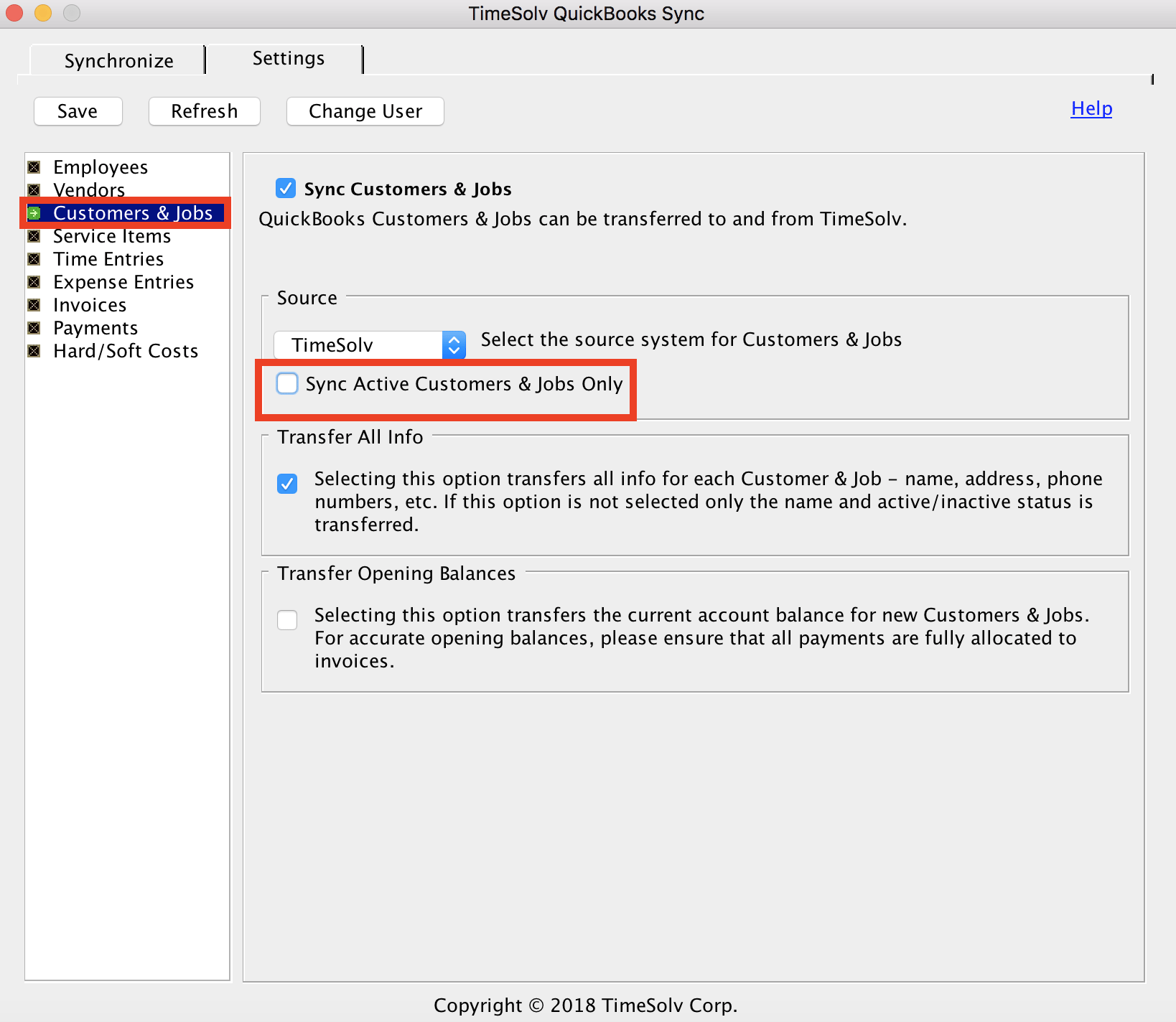
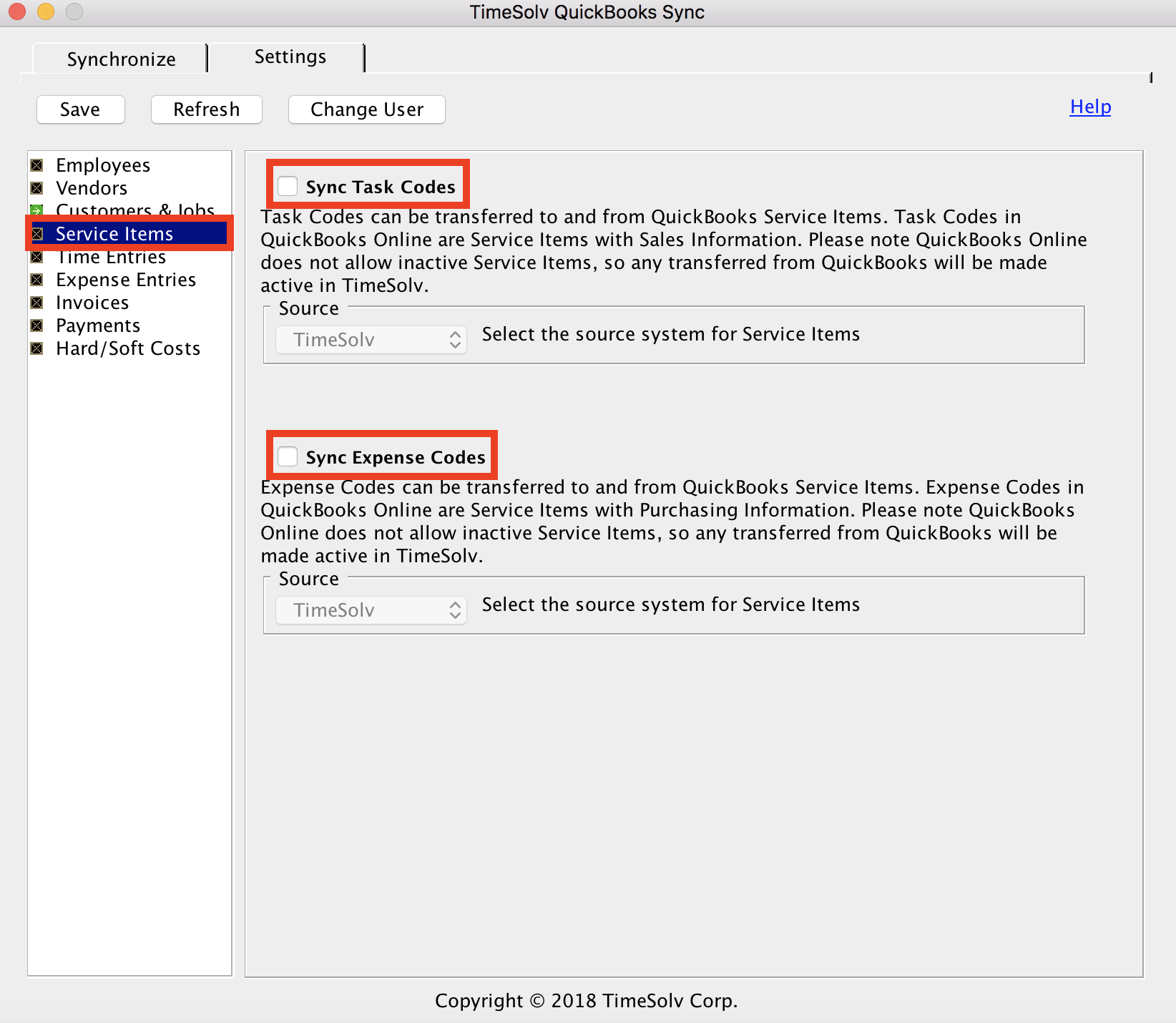
2. Sync Expense Codes
Previously, the only sync-able Service Items were Task Codes. We have now added the option of being able to sync both Task Codes and Expense Codes. This separation allows you to sync in a more detailed way.
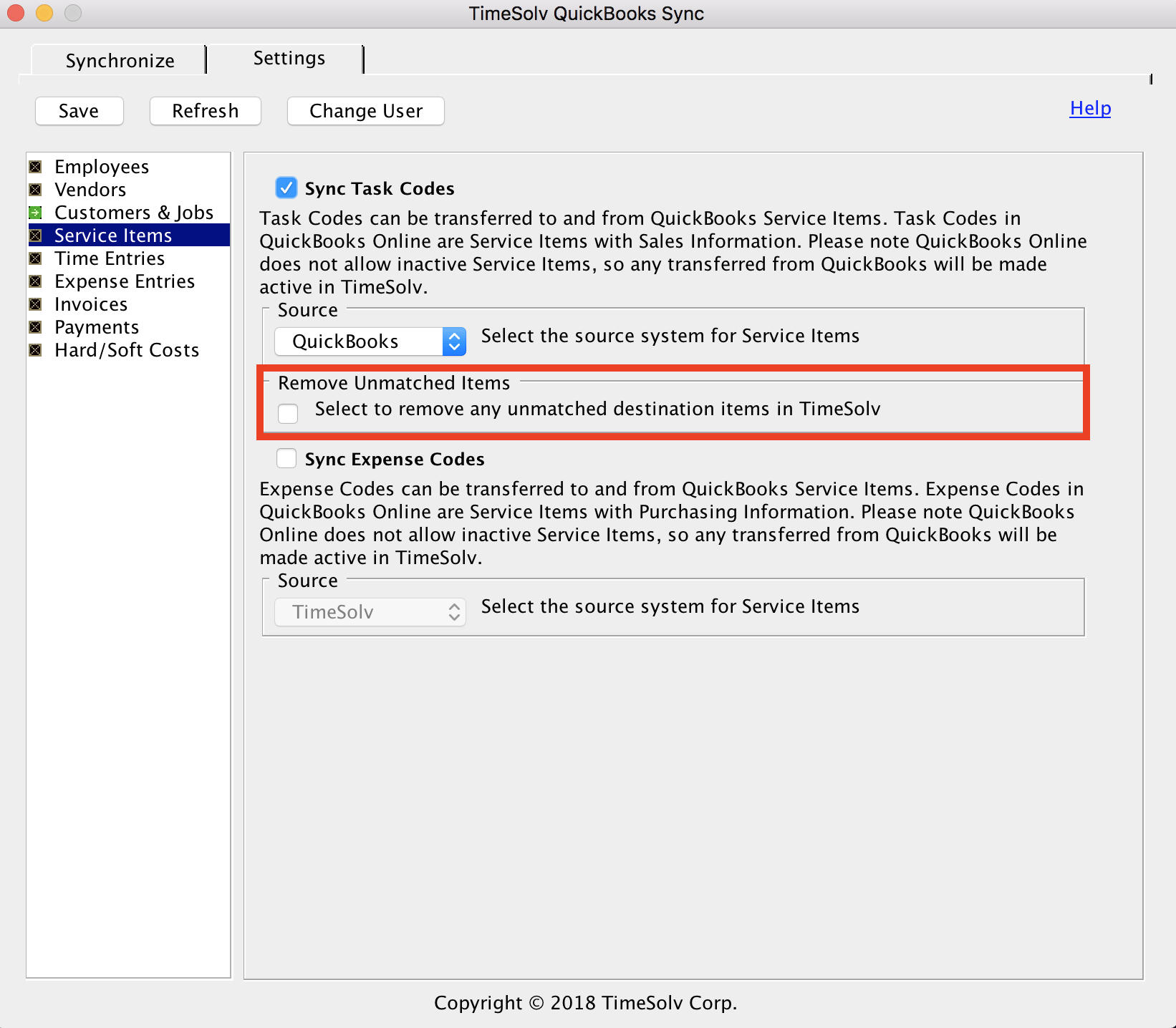
Also, if you change the Task Codes source to QuickBooks, you will see a new checkbox pop up asking you if you would like to ‘remove unmatched items’. This means that if, for example, you are only using four Task Codes out of the option of 200, you can now check this box to eliminate the sync list down to just the four codes you are actively using.
3. Hard/Soft Costs
We have added a whole new node dedicated to your hard and soft costs needs, so you can now differentiate for all your TimeSolv data when syncing to QuickBooks.
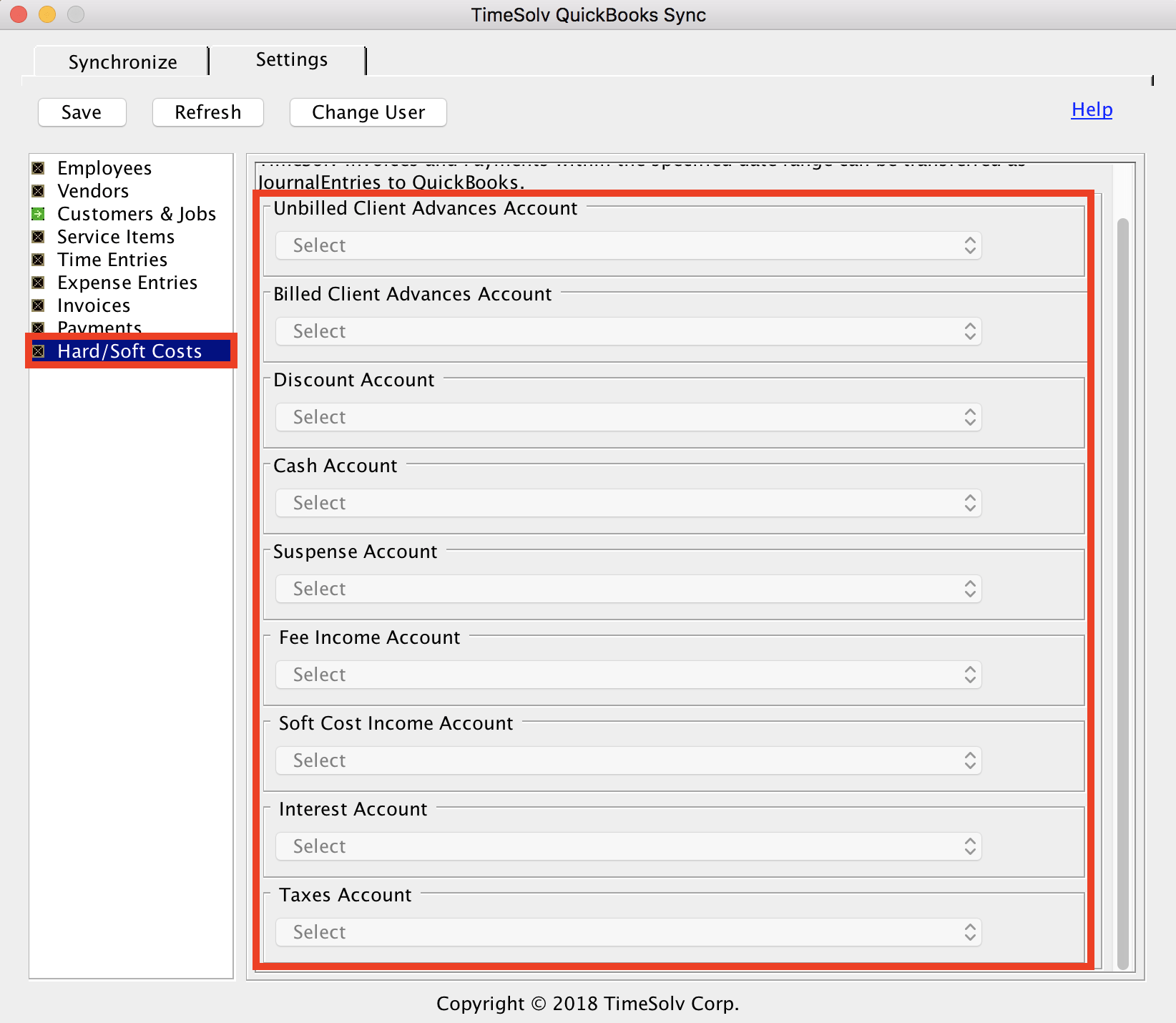
Please note that if you have Hard/Soft Costs turned on for syncing, you cannot have Payments and Invoices turned on too. So, for example, instead of syncing your invoices over, this hard/soft costs feature will create journal entries for you, where you can differentiate between hard and soft costs.
Support Help
If you’d like TimeSolv support to help you through the new updates with QuickBooks Sync for QuickBooks Online, call 1.800.715.1284 or Contact support!
wherever you do.
TimeSolv in action.





