To make things easier for our users, TimeSolv has just rolled out the ability to create interest-only invoices. Simply generate your invoices as normal, and if a client as accrued interest since their last invoice without any new time or expense entries, you will find an interest-only invoice has been generated.
Enable interest under Clients>Settings>Apply Interest?
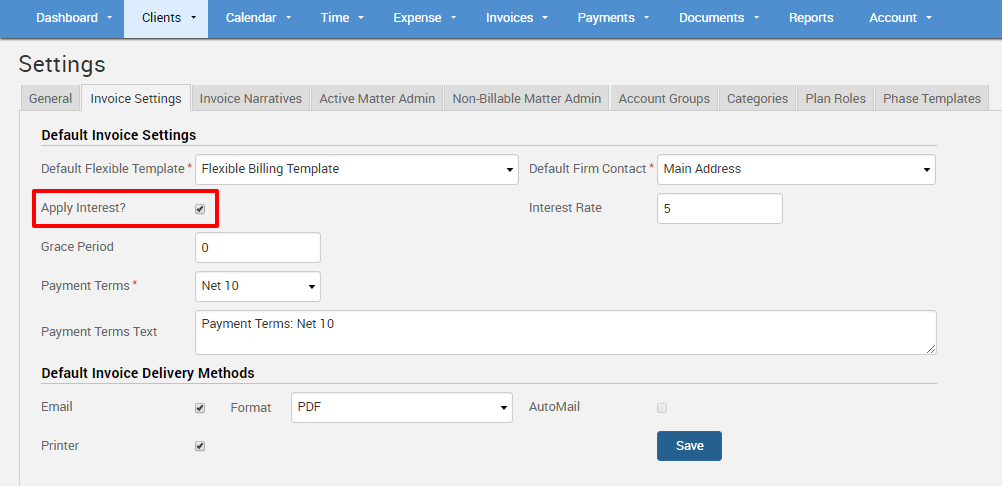
Specify an Interest Rate percentage, Grace Period, and the Payment Terms:
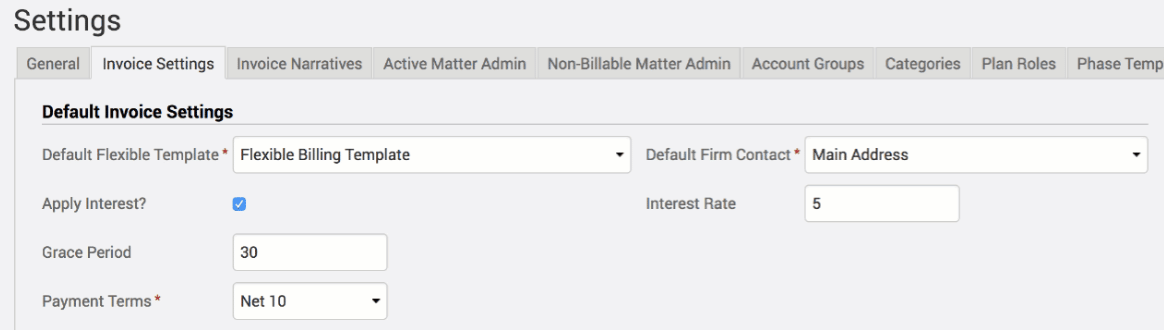
– The interest rate is based on an annual percentage rate. As an example, if you were to charge a 5% annual interest, you would enter 5 in this field. Or, if you wanted to charge 1.5% monthly interest, you would type in 18 (because 1.5 * 12 months of the year = 18)
– The grace period is the amount of provisional time you will allow the client to make a payment beyond the due date before you begin to charge interest.
– Set Payment Terms from either Upon Receipt or a Net amount. Interest will not start accruing until the grace period plus specified payment terms days have run their course.
As an example, if your invoices give a 30 day grace period, then no interest is calculated within the first 30 days. On day 31, it would start to calculate interest on the unpaid balance owed at the percentage that you have assigned it.
Generate an Interest-Only Invoice
You will need to have the Enable Interest Only Invoices checkbox enabled under Invoice>Settings.
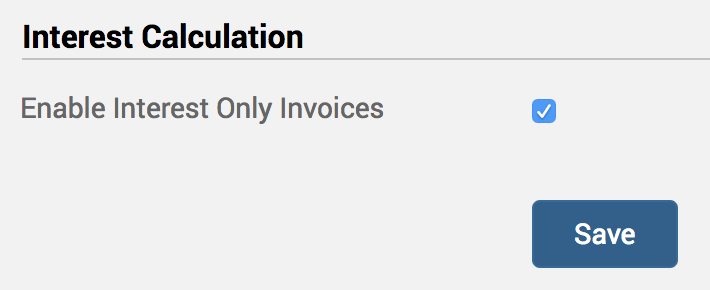
Once all the above settings are in place, go ahead and generate a draft invoice against the relevant Client-Matter, and an interest only invoice should be generated if the invoice fits the Client level defined interest rules (as set up above).
Edit Invoice Font Size and Text Alignment
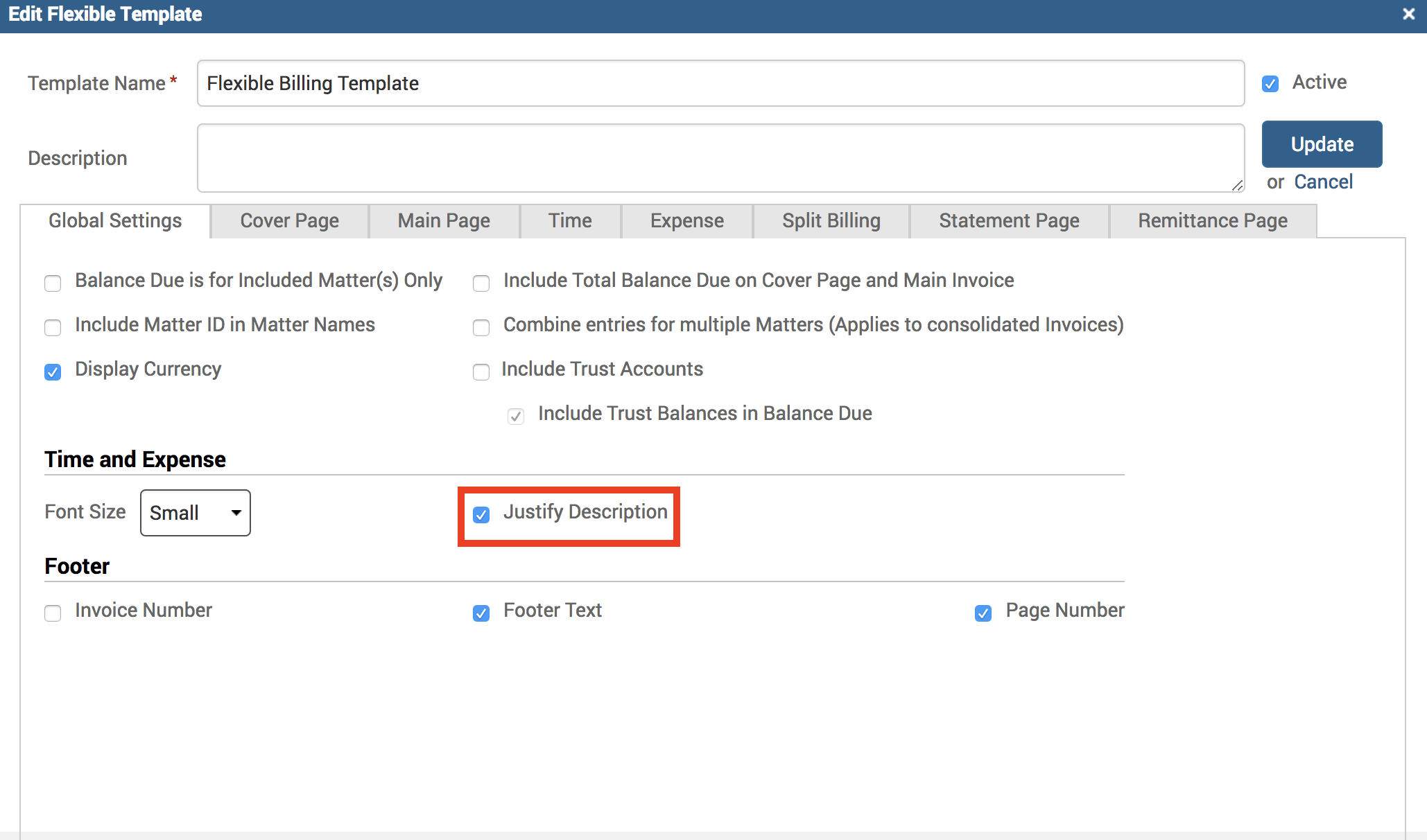
Users can now easily edit the invoice font size, and choose to align Time Entry description text as left aligned or justified in the invoices.
- Go under Invoices>Settings>Flexible Templates. Drill into an existing template or create a new one.
- Under Global Settings tab, specify Font Size as either Small (9 pt), Medium (10 pt), or Large (11 pt) on your invoices. By default this will be set to small font.
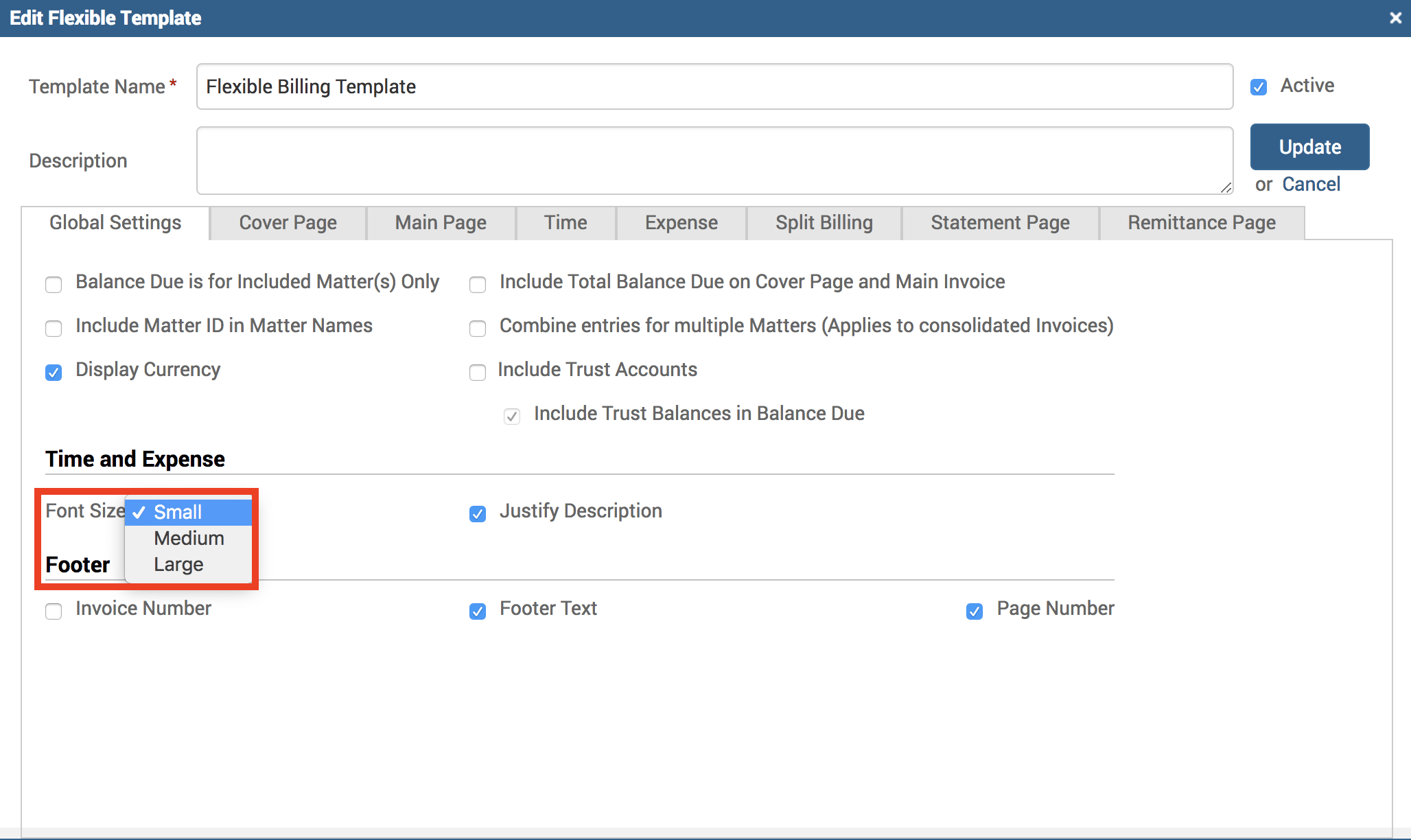
3. By default, the description text (the text you entered in the description field on the Time Entry screen) will be set to justified. You can de-select the checkbox to left align the text instead.
If you’d like more help with understanding how to generate interest-only invoices and customize invoice font/text settings, please call us at 1.800.715.1284, email us at support@timesolv.com or Contact support.
Contact support