Tip of the Week: How to Create Project Plans in TimeSolv


We talk a lot on this blog about how to leverage the power of Legal Project Management (LPM). All you have to do is read this, or this, or this to understand how passionate we are about using LPM to create fixed fees and make your firm more profitable.
So the obvious next question for many TimeSolv customers is, “ok, how do I create a project plan within TimeSolv?” Great question and that’s the focus of our tip of the week.
Enabling the matter plan
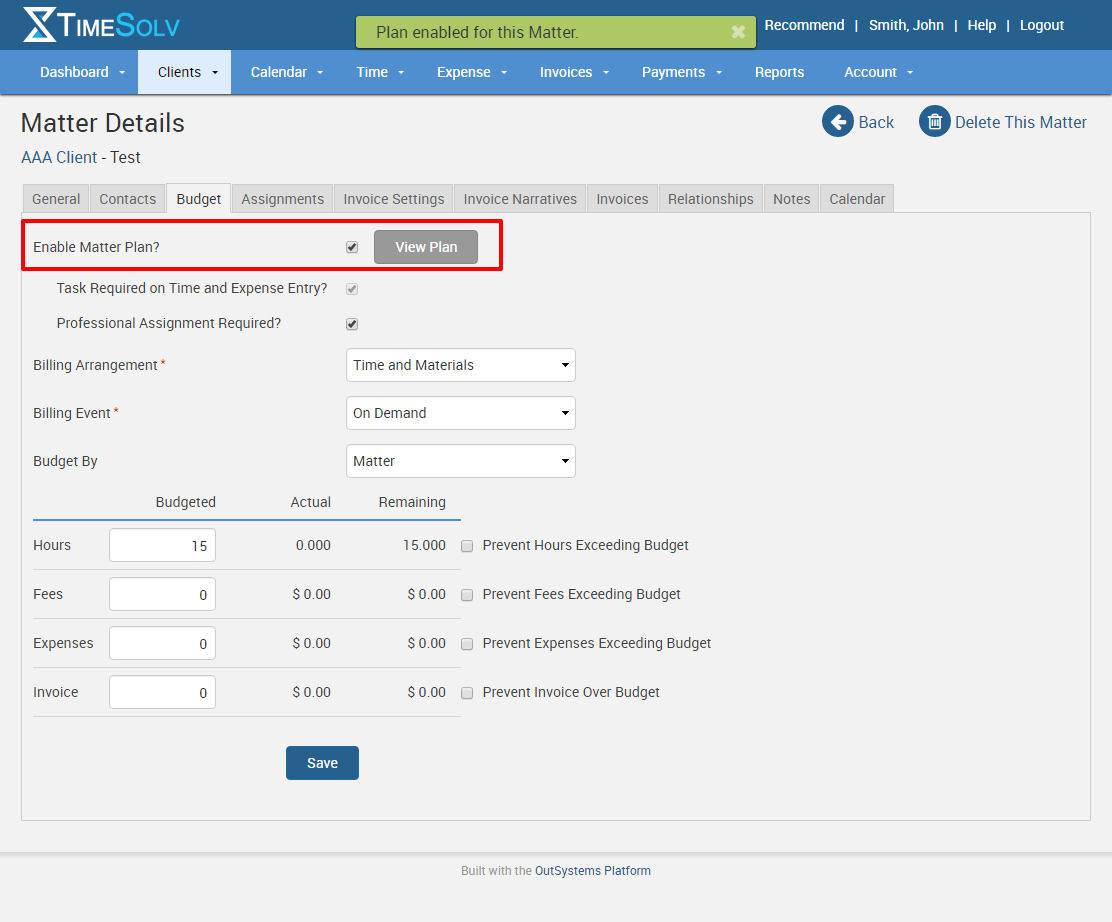
The first step on the road to creating your project is to first create a new matter. Under our Clients tab, go to Clients & Matters and click on New Matter in the upper right corner. Once you’ve named your matter and chosen the client, you’ll want to click on the Budget tab and then check the box where it says “Enable Matter Plan?” and save. Then you can click on the “View Plan” button to start building the project.
Building phases, milestones and tasks
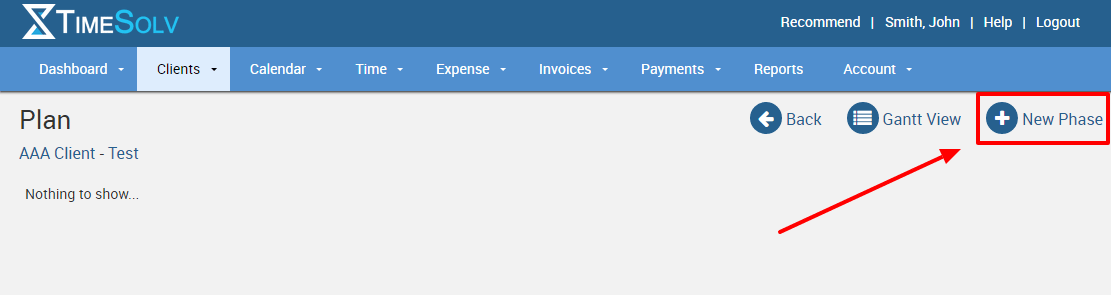
Once you’re actually viewing the plan, go to the upper right corner and click on “New Phase”.
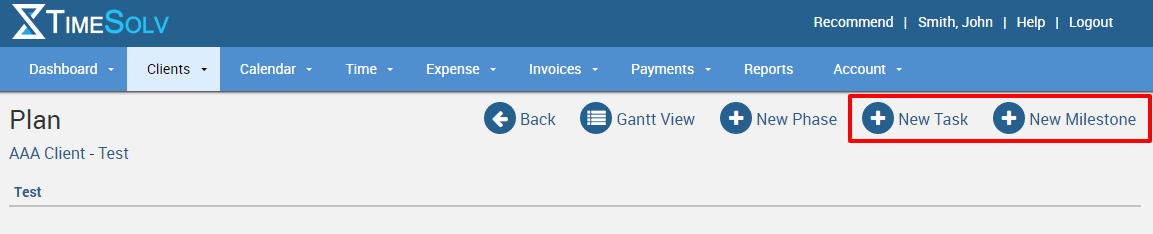
Now you can create tasks and milestones and additional phases.
Assign Timekeepers to Tasks
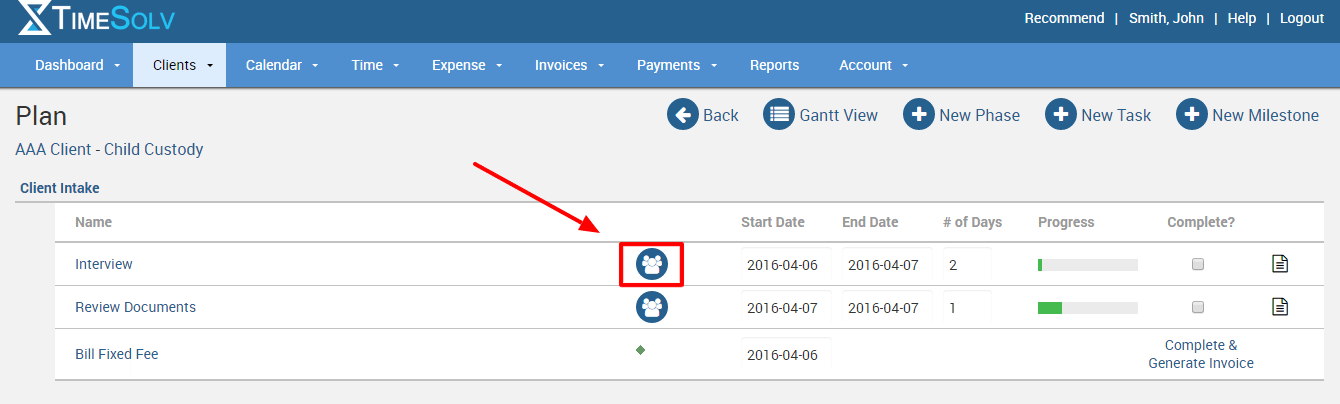
Once you have your tasks for each phase completed click on the blue person icon and you can assign timekeepers to that task and budget their hours.
View previous Matter Plans
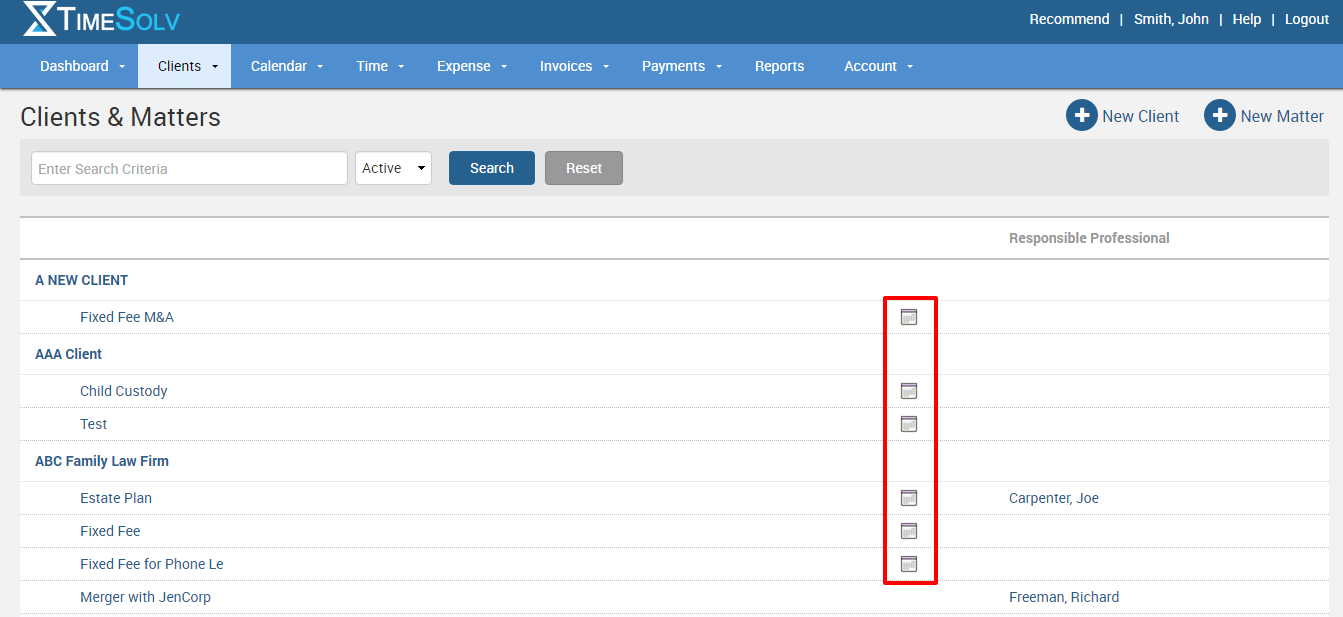
Once you’ve created a matter plan, you’ll want to revisit the phases, tasks and milestones frequently. All you have to do is click on the calendar icon when viewing your matters and clients.
Save phases as templates
The real power of our our project management tools is being able to reuse phases from previous matters. Now instead of recreating the phases and tasks you use often, just open a phase template and you’ll have a new matter plan built in a matter of seconds!
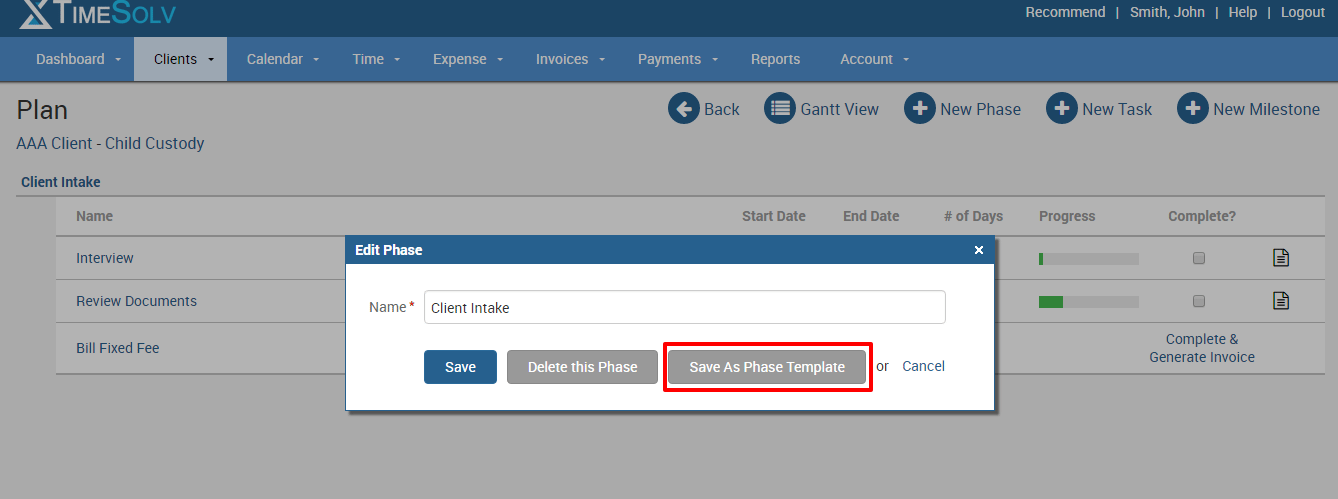
To save a phase as a template for future use, just click on the phase name and you’ll see the option of “Save As Phase Template”. It’s that easy! Then when you go to create a new phase, you’ll see an option to choose from your templates.
Get one on one help building your plan
To learn more about how to build your matter plans and all the various things you can do to customize the plan for your needs, Contact our staff. Our legal billing experts are eager to help you get the most of TimeSolv.
wherever you do.
TimeSolv in action.